

Anime Maker
Turn your text or photos into anime images, characters, and short videos with AI in seconds.
AI tool Details
About Anime Maker
Anime Maker is an AI-powered creative platform designed to transform text prompts and personal photos into high-quality anime-style images, original characters, avatars, logos, filters, and even short video clips. Built specifically for artists, creators, game development teams, marketers, and anime enthusiasts, this tool provides a focused, browser-based workflow that lets you explore visual ideas quickly and efficiently. The platform supports multiple generation modes, including text-to-image, photo-to-anime conversion, character design, and image-to-video creation, all within a single, intuitive interface. At its core, Anime Maker bridges the gap between imagination and production, allowing users to generate 1024x1024 anime illustrations from simple text descriptions, turn ordinary photographs into stylized anime interpretations, or create 6 to 30 second animated clips using a text prompt and an optional reference frame. The platform offers free starter access with ten credits for testing standard image generation after sign-up, making it accessible for beginners and professionals alike. With a strong emphasis on user experience, Anime Maker streamlines the creative process by providing clear input fields, adjustable parameters like aspect ratio, resolution (480p or 720p for video), and duration, ensuring that every generated result is ready for export and further refinement. Whether you are designing a character for a game, producing marketing visuals, or simply exploring anime aesthetics, Anime Maker delivers professional-grade results without requiring advanced technical skills or expensive software.
Features
Text to Anime Image
This feature allows you to describe the subject, setting, style, lighting, and composition of your desired anime scene in natural language, and the AI will generate a 1024x1024 square image based on your prompt. You can specify details like character appearance, background environment, color palette, and emotional tone, making it easy to produce highly customized illustrations. The prompt-to-image workflow is streamlined for mobile and desktop, enabling rapid iteration and exploration of creative concepts without manual drawing or complex software.
Photo to Anime Converter
Upload a JPG, PNG, or WebP photo and describe the linework, color treatment, lighting, mood, and background you want, and Anime Maker will generate a new 1024x1024 anime interpretation of your original image. This is not a simple filter or pixel-for-pixel copy but a fully AI-generated illustration that reimagines your photo in an anime style. It is ideal for creating profile pictures, character references, or stylized portraits that maintain the essence of the original while adding artistic flair.
AI Anime Video Generator
Create 6 to 30 second animated clips from a text prompt, with the option to add a reference frame for visual direction. You can describe one main action and one camera movement, then choose the duration, aspect ratio, and output resolution (480p or 720p). This feature is perfect for producing short motion studies, character animations, or cinematic sequences that capture dynamic scenes with controlled camera angles and atmospheric lighting.
Anime Character Generator
Design an original anime character by providing a focused text brief covering hair, clothing, expression, color palette, role, and setting. The AI generates a fully realized character illustration that you can reuse for avatars, expression studies, or future scene references. This feature streamlines character creation for game teams, comic artists, and storytellers, allowing you to iterate on designs quickly and maintain consistency across different projects.
Use Cases
Game Character Design
Game development teams can use Anime Maker to rapidly prototype character concepts, from heroes and villains to NPCs and creatures. By inputting detailed text prompts that describe appearance, attire, and personality traits, artists can generate multiple visual iterations in minutes. This accelerates the pre-production phase and helps teams align on visual direction before committing to final assets.
Social Media Content Creation
Content creators and influencers can transform their photos into anime-style avatars or generate unique anime scenes for posts, stories, and profile pictures. The photo-to-anime converter is especially useful for creating consistent branding across platforms, while the text-to-image feature allows for custom illustrations that match seasonal themes, promotional campaigns, or personal milestones.
Marketing and Advertising Visuals
Marketers can produce eye-catching anime-style visuals for campaigns, product launches, or social media ads without hiring an illustrator. By describing the desired scene, mood, and branding elements in a prompt, teams can generate high-quality images that stand out in feeds and resonate with anime-loving audiences. The video generator also enables short animated ads or explainer clips.
Personal Art Projects and Storyboarding
Hobbyists and independent artists can use Anime Maker to visualize scenes from their stories, create concept art, or build mood boards for larger projects. The platform's ability to generate consistent character designs and cinematic compositions makes it a valuable tool for storyboarding, especially when exploring different lighting, camera angles, and emotional tones before committing to traditional drawing.
Frequently Asked Questions
What is the difference between text-to-image and photo-to-anime modes?
Text-to-image generates a completely new anime illustration from your written description, allowing full creative freedom over the subject and setting. Photo-to-anime, on the other hand, takes an uploaded photo (JPG, PNG, or WebP) and creates a stylized anime interpretation based on your additional text instructions for linework, color, and mood. The latter preserves the general structure of the original photo while applying anime aesthetics.
How many free credits do I get after signing up?
After signing up, you receive ten free credits that can be used for testing standard image generation. Each credit typically corresponds to one image generation request. These credits allow you to explore the platform's capabilities and evaluate the quality of outputs before committing to a paid plan. Additional credits can be purchased or earned through referrals.
Can I control the aspect ratio and resolution for video generation?
Yes, when creating AI anime videos, you can choose the duration (6 to 30 seconds), aspect ratio, and output resolution (480p or 720p). These settings give you flexibility depending on your intended use, whether it is for social media, presentations, or personal projects. Higher resolution options provide better visual quality but may take longer to generate.
Is the generated content copyright-free for commercial use?
Anime Maker's terms of service typically grant you ownership of the content you generate, but it is important to review the specific licensing agreement on the platform. In general, images and videos created from your own prompts and photos are intended for personal and commercial use, including marketing, game development, and social media. However, you should avoid using prompts that infringe on existing copyrights or trademarks.
Similar to Anime Maker
DanseAI - Alors on Danse AI Video Genera
Make the Alors on Danse AI meme video from two photos, soundtrack included
Opus 5.5 Video Generator
Turn a prompt into a 1080p motion-graphics MP4 planned and coded by Claude Opus 5.5
Rumpelstiltskin AI Video Generator
Make the viral Rumpelstiltskin tiptoe dance meme video from two photos
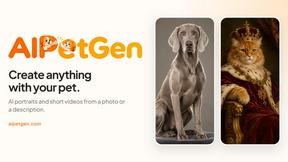
AIPetGen
AIPetGen turns a photo of your dog, cat, or other pet, or a written description, into a new picture or a short animation.

Hotel Lobby AI Video Generator
Turn two photos into a Hotel Lobby dance video in the orange A COLORS SHOW booth
Remove Text
Remove text from images online with AI
TryH3 - MiniMax H3 Video Generator
Try MiniMax Hailuo H3 video generation in the browser
Image to Layers AI
Turn any image into editable transparent PNG/PSD layers with AI