Blueberry
Blueberry is an all-in-one Mac app that streamlines web app development by integrating your editor, terminal, and.
AI tool Details
Explore More
Alternatives

About Blueberry
Blueberry is a revolutionary macOS application designed for modern product builders who seek to streamline their development processes. It combines an editor, terminal, and browser into a single focused workspace, eliminating the hassle of juggling multiple windows and applications. By integrating AI capabilities, Blueberry allows developers to connect with models like Claude, Gemini, and Codex through its built-in MCP (Multi-Context Protocol) server. This unique feature enables real-time interaction with project files, terminal output, and live previews, ensuring that context is always at hand. Blueberry is perfect for developers, designers, and product managers who want to enhance their productivity and collaboration. By providing a seamless environment for coding, testing, and previewing, Blueberry empowers teams to build and ship web applications that not only function well but also delight users. Best of all, Blueberry is currently available for free during its beta phase, inviting users to experience its comprehensive capabilities without any cost.
Features
Integrated Workspace
Blueberry provides an all-in-one workspace that combines a code editor, terminal, and live preview browser. This integration eliminates the need to switch between multiple applications, allowing developers to focus on building and shipping their products efficiently.
AI Contextual Awareness
With Blueberry’s MCP server, AI models like Claude and Codex gain full context of your project. They can see your code, browser previews, and terminal outputs, enabling them to provide more relevant and precise assistance during development.
Visual Context Tools
Developers can enhance their AI interactions by using tools that capture screenshots and select elements directly from the preview browser. This visual context allows for a more intuitive understanding of the project and fosters better communication with the AI.
Pinned Apps Integration
Blueberry allows users to dock essential applications such as GitHub, Linear, Figma, and PostHog within the workspace. These pinned apps load with the project and share real-time context, creating a collaborative environment that enhances productivity.
Use Cases
Streamlined Development Process
Developers can use Blueberry to build web applications from start to finish within a single workspace. By having access to the editor, terminal, and live preview, they can quickly iterate on their designs and code without losing context.
Collaborative Project Management
Teams can leverage Blueberry’s pinned apps feature to collaborate efficiently. Designers and developers can work side by side in the same environment, making it easier to discuss changes and implement feedback in real time.
AI-Assisted Coding
With the integration of AI models, developers can ask questions about their code and receive instant feedback. This feature significantly reduces the time spent searching for solutions or debugging, allowing for a smoother coding experience.
User-Centric Testing
Blueberry’s live preview capabilities enable developers to test their applications across various devices, including desktop, tablet, and mobile views. This feature ensures that the final product meets user expectations and functions correctly on all platforms.
Frequently Asked Questions
What is Blueberry?
Blueberry is a macOS application that integrates a code editor, terminal, and browser into a single workspace, designed specifically for modern product builders to enhance their development workflow.
How does Blueberry improve productivity?
By combining essential tools into one environment, Blueberry minimizes the time developers spend switching between applications, allowing them to focus on coding, testing, and shipping their products more efficiently.
Is Blueberry free to use?
Yes, Blueberry is currently in a beta phase and is 100% free to download and use on macOS. Users can experience all its features without any cost during this period.
Which AI models can I connect to Blueberry?
Blueberry supports connections with several AI models, including Claude, Gemini, and Codex. This integration enables real-time contextual assistance tailored to your project needs.
Similar to Blueberry

Product Launch Checklist
A free launch checklist for SaaS, apps, AI tools and more. Every step says why it matters and when you can skip it.


laya.tools
Free directory of 950+ projects built on Laya, the open-source model that turns text into typed decisions. Ports, SDKs, agents and demos.
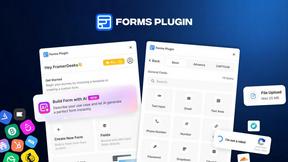
Forms Plugin
The #1 Native Form Builder Plugin for Framer - No Code, No Embeds, No External Platforms.