

EditTextImage
Edit text in images online and keep fonts, colors, and perspective intact in just 30 seconds with no Photoshop needed.
AI tool Details
Explore More
Alternatives
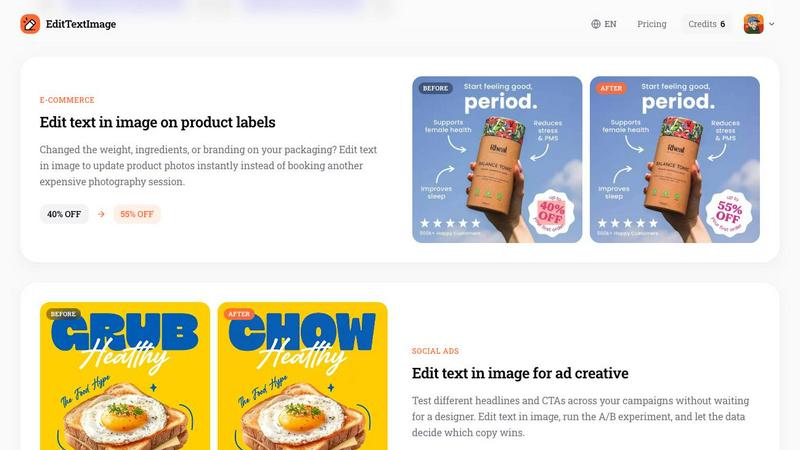
About EditTextImage
EditTextImage is an online AI tool that lets you edit text in any image file without needing Photoshop, design skills, or the original source file. Whether you are working with a poster, screenshot, product label, document scan, or social media graphic, this tool allows you to replace existing text with new text while perfectly preserving the original font, color, size, perspective, drop shadow, and background. The AI samples the typeface directly from the pixels of the image, so even paid fonts or hand lettering that you do not have installed on your computer are handled automatically. The entire process takes about 10 seconds, and the output is delivered at 2K resolution. This product is designed for marketers, designers, content creators, small business owners, and anyone who has ever needed to fix a typo, swap a date, localize an app screenshot, or A/B test a headline on a finished image. The first edit is completely free with no credit card required, and subsequent usage is available through a simple one time purchase model. There are no subscriptions, no recurring fees, and no complex software to learn. EditTextImage is built for speed, accuracy, and ease of use, making it the fastest way to edit text in image online.
Features
Pixel Perfect Text Replacement
EditTextImage does not simply paste new text over the old one. Instead, the AI analyzes the surrounding pixels to understand the exact font characteristics, including weight, spacing, color, and any effects like shadows or perspective. This ensures that the replacement text blends seamlessly into the image, matching the original layout with pixel perfect accuracy. You get a result that looks like the text was always there.
AI Powered Font Sampling
You do not need to own or install any font files. The AI samples the typeface directly from the image pixels. This means that even if the original image uses a premium, commercial, or custom hand lettered font that you do not have access to, the tool can reproduce it faithfully. The AI understands the nuances of the typography and applies them to the new text automatically.
Fast Processing in Seconds
The entire workflow from upload to download is designed to be incredibly fast. On average, it takes about 12 seconds to edit text in an image. You simply upload your file, type the original text and the replacement text, and click generate. There is no waiting for rendering, no complex settings to configure, and no learning curve. This speed makes it ideal for quick fixes and production workflows alike.
High Resolution 2K Output
When you edit text in an image using EditTextImage, the output is delivered at 2K resolution. This ensures that your edited images remain sharp, clear, and suitable for professional use, whether for print, web, or social media. You do not have to worry about losing quality or ending up with a pixelated result.
Use Cases
Fixing Typos and Errors in Documents
Lost the original source file for an important contract, invoice, or report? Only have a screenshot or a scan? EditTextImage allows you to directly edit text in image files to correct typos, update invoice numbers, fix dates, or change names in official documents. This is a lifesaver when the original design file is unavailable and you need a quick, accurate fix without recreating the entire document from scratch.
Updating Posters and Event Flyers
Event details often change after a poster or flyer is finalized. The date shifts, a speaker drops out, or the venue moves. Instead of waiting for a designer to reopen the design file, you can use EditTextImage to edit text in image directly on the finished poster. The font, color, and layout remain perfectly intact, saving you time and money, especially when you need to reuse beautiful materials from previous seasons.
App Localization and Screenshots
App Store and Google Play require screenshots in multiple languages for global distribution. Rebuilding every UI mockup for each language is time consuming and expensive. With EditTextImage, you can edit text in image files to swap languages on existing screenshots. The AI preserves the pixel perfect layout, so your localized screenshots look native and professional, every time.
A/B Testing Ad Creative and Social Media
Marketers constantly need to test different headlines, calls to action, and promotional text across campaigns. Instead of waiting for a designer to create multiple versions, you can use EditTextImage to edit text in image files for your ad creative. Run A/B experiments quickly, let the data decide which copy wins, and iterate without bottlenecks. This is perfect for social ads, banners, and ecommerce promotions.
Pricing
EditTextImage offers a simple and transparent pricing model. The first edit is free with no credit card required. You simply sign in with Google to receive 1 free credit that never expires. After using your free credit, you can purchase a one time pack of 30 edits for $9.90. There are no subscriptions, no recurring monthly fees, and no hidden costs. Credits never expire, so you can use them at your own pace. This pricing makes it an affordable alternative to expensive Photoshop subscriptions or Canva premium plans, especially for users who only need to edit text in images occasionally.
Frequently Asked Questions
What types of images can I upload to EditTextImage?
You can upload images in PNG, JPEG, or WebP formats, with a maximum file size of 10 MB. The tool works best with images where the text is clearly visible and not heavily distorted. It handles a wide range of scenarios, including posters, screenshots, product labels, documents, and packaging photos.
Do I need to have the original font file installed on my computer?
No, you do not. The AI samples the typeface directly from the pixels of the image you upload. This means that even if the original font is a paid commercial font, a custom hand lettered style, or a rare typeface you do not own, the tool can replicate it accurately for the replacement text.
Is there a free trial or credit available?
Yes, the first edit is completely free and does not require a credit card. You simply sign in with your Google account to receive 1 free credit. This free credit never expires, so you can use it whenever you need. After that, you can purchase a pack of 30 edits for a one time fee of $9.90.
Can I use the edited images for commercial purposes?
Yes, commercial use is included with your edits. You can use the images you create for business purposes, including marketing materials, product listings, advertisements, and social media content. However, you must confirm that you own or are licensed to edit the original image, and that the edit is not intended to deceive any third party.
Similar to EditTextImage

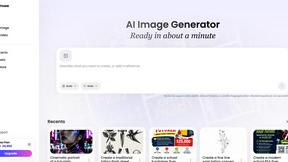
Vismuse
Create polished AI images and videos from prompts or references for social posts, ads, flyers, album covers, and campaigns.
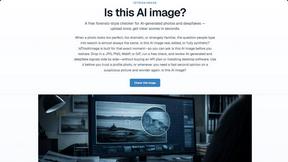
IsThisAIImage
Free AI image checker: upload a photo for AI-generated and deepfake scores, a clear verdict, and optional generator hints.
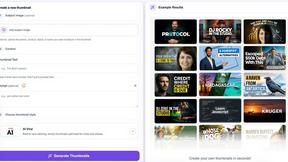
StopScroll
StopScroll is an AI thumbnail maker that generates YouTube thumbnail concepts from a URL, title, or prompt.
HubVanta AI
HubVanta AI helps creators generate images and videos with advanced AI tools for visual content workflows.

VideoAny
VideoAny is your all-in-one AI studio for generating uncensored videos, images, and audio from text or photos on mobile.
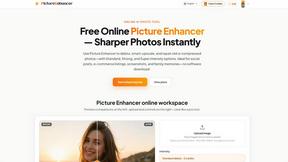
Picture Enhancer
Picture Enhancer uses AI to deblur, upscale, and restore photos in your browser with no software install.
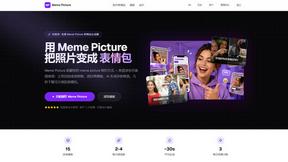
Meme Picture
Turn any selfie or pet photo into a share-ready meme in seconds with free AI templates and no login required.