

Img Editor
Easily create stunning AI-generated images in seconds with Img Editor's advanced machine learning technology.

About Img Editor
Img Editor is an innovative AI-driven image generation platform designed to make stunning visuals accessible to everyone, regardless of their artistic background. By harnessing the power of advanced artificial intelligence, Img Editor caters to a wide range of users, from professional artists and designers to marketers and digital art enthusiasts. This platform enables users to effortlessly turn their creative ideas into high-quality images through a simple and intuitive interface. With Img Editor, users can generate images from textual descriptions or edit existing visuals using personalized prompts, providing a dual capability that enhances creative projects. The platform stands out by offering 10 free image generations daily and unlimited bonus generations through community engagement, ensuring that users can explore their creativity without financial barriers. Img Editor is not just a tool; it is a gateway to transforming imagination into reality, making it perfect for anyone looking to elevate their digital art experience.
Features
AI-Powered Image Generation
Img Editor utilizes cutting-edge AI algorithms to generate high-quality images from textual descriptions. Users can easily input prompts to create unique visuals, enabling quick and efficient design processes without the need for extensive graphic design skills.
Advanced Image Editing Tools
In addition to generating images, Img Editor offers robust editing features that allow users to modify existing images. Users can refine and enhance their visuals with personalized prompts, making it easy to achieve the desired look and feel for their projects.
Community Engagement Rewards
Img Editor encourages creativity and interaction by offering unlimited bonus generations through community engagement. Users can submit their creations to the gallery and earn extra generations when their submissions are approved, fostering a vibrant community of digital artists.
Versatile Aspect Ratios and Quality Settings
With Img Editor, users can select different aspect ratios and image quality settings to suit their needs. Whether they require a square format for social media or ultra-high-definition images for professional presentations, Img Editor provides the flexibility to accommodate various project requirements.
Use Cases
Social Media Content Creation
Marketers and social media managers can leverage Img Editor to quickly generate eye-catching visuals that capture audience attention. The platform's AI-powered capabilities allow for the rapid production of graphics tailored to specific campaigns, helping users maintain a consistent content flow.
Digital Art Exploration
Artists and hobbyists can use Img Editor as a creative playground to experiment with different styles and concepts. The ability to generate images from text prompts enables artists to visualize their ideas and explore new creative directions without the constraints of traditional tools.
Marketing and Advertising Materials
Businesses can use Img Editor to create custom visuals for advertisements, brochures, and online content. With its high-quality image generation capabilities, the platform ensures that marketing materials stand out and effectively communicate brand messages.
Educational Projects and Presentations
Educators and students can benefit from Img Editor by creating engaging visuals for presentations, projects, and reports. The ease of generating images tailored to specific topics enhances learning experiences and helps convey complex ideas visually.
Frequently Asked Questions
How many free image generations can I get daily?
Users can enjoy 10 free image generations every day. Additionally, you can earn unlimited bonus generations by engaging with the community and submitting your creations to the gallery for review.
Can I edit existing images using Img Editor?
Yes, Img Editor allows users to edit existing images with personalized prompts. This feature enables users to enhance their visuals or make specific adjustments based on their creative vision.
What types of users benefit from Img Editor?
Img Editor is designed for a diverse audience, including artists, designers, marketers, and hobbyists. Anyone interested in creating or enhancing digital art can benefit from the platform's user-friendly features and AI capabilities.
What are the quality settings available in Img Editor?
Img Editor offers various quality settings for generated images, including standard and high-quality options. Users can choose from different resolutions such as 1K, 2K, and 4K to suit their specific project needs and requirements.
Similar to Img Editor
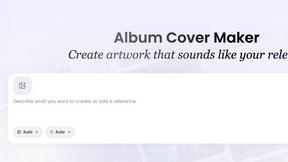
AI Album Cover Maker
Create release-ready album covers from a prompt or photo. Generate, refine, and export art for singles, EPs, mixtapes, and playlists.
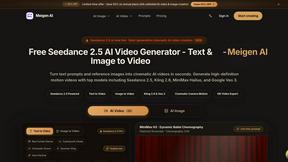
Meigen AI
AI video and image generator powered by Seedance 2.5 and GPT Image 2.5.
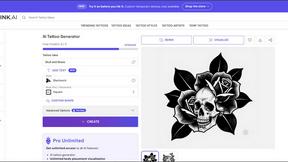
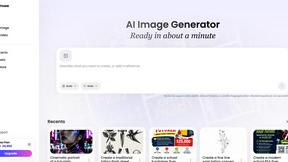
Vismuse
Create polished AI images and videos from prompts or references for social posts, ads, flyers, album covers, and campaigns.

IsThisAIImage
Free AI image checker: upload a photo for AI-generated and deepfake scores, a clear verdict, and optional generator hints.
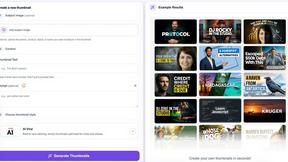
StopScroll
StopScroll is an AI thumbnail maker that generates YouTube thumbnail concepts from a URL, title, or prompt.
HubVanta AI
HubVanta AI helps creators generate images and videos with advanced AI tools for visual content workflows.
