AI tool Details
Explore More
Alternatives

About Push My App
Push My App is an all-in-one platform designed specifically for indie developers and mobile studios who want to ship their iOS and Android apps to the App Store and Google Play Store without the typical launch-week grind. This tool replaces the manual, time-consuming process of preparing app store listings with a streamlined, AI-powered workflow that handles everything from metadata generation to direct submission. Instead of spending days writing descriptions, researching keywords, resizing screenshots, and worrying about rejections, developers can complete their entire listing preparation and submission in a single afternoon. The platform is built around the core idea that developers should spend their time coding, not wrestling with app store requirements. Push My App serves as a command center where you manage both iOS and Android versions side by side, generate AI-optimized ASO metadata, scan your build against over 80 known rejection reasons, automatically resize screenshots for every required device, translate your listing into 14 languages, and submit directly to App Store Connect and Google Play Console with one click. It also lets you generate a website and support mailbox for your app using your existing metadata and screenshots. What used to take days of manual effort now takes minutes, enabling developers to ship their next release up to five times faster.
Features
AI-Generated ASO Metadata
Push My App writes your app name, subtitle, keywords, description, and release notes optimized for App Store Optimization in seconds. The AI generates high-conversion metadata that is scored against store requirements, giving you a clear view of how your title, keywords, and subtitle perform. You can see character counts and optimization scores for each element, ensuring your listing is fully optimized for discoverability before you submit. This eliminates the hours of research and rewriting that typically goes into crafting effective app store copy.
Pre-Flight Rejection Scanner
Before you submit your app to Apple or Google, Push My App scans your binary and listing against more than 80 known rejection reasons. This proactive check identifies potential blockers such as missing privacy manifests, improper metadata, or compliance issues that commonly lead to rejections. The scanner surfaces specific issues with clear explanations, allowing you to fix problems before they cause delays. This feature alone can save developers days or even weeks of back-and-forth with app review teams.
Screenshot Resizer and Translator
Upload one set of iPhone screenshots and Push My App automatically generates every required device size for both the App Store and Google Play Store, including all necessary device frames and dynamic marketing text overlays. Additionally, the platform translates your entire listing into 14 languages, including Spanish, German, French, Japanese, Portuguese, and more. Crucially, keywords are re-optimized per locale, ensuring your app remains discoverable in each target market. This eliminates the tedious manual work of resizing images and localizing content.
Direct Submission and App File Scanner
Drop your .ipa, .apk, or .aab file directly into Push My App and the platform automatically extracts your bundle ID, version number, and app icon. It validates compliance and uploads your build to App Store Connect and Google Play Console with a single click. The submission process includes pre-submission validation to catch any remaining issues. You can submit to one store at a time, with status tracked automatically, giving you complete visibility into your submission pipeline.
Use Cases
Indie Developer Launching a New App
An independent developer has finished coding their first mobile app and needs to get it on both the App Store and Google Play Store quickly. Instead of spending days researching keywords, writing descriptions, and manually resizing screenshots for six different device sizes, they use Push My App to generate AI-optimized metadata, auto-resize their screenshots, and scan their build for rejection risks. They complete the entire process in an afternoon and submit to both stores with one click, launching their app five times faster than doing it manually.
Studio Managing Multiple App Versions
A small mobile studio maintains several apps across iOS and Android, each requiring regular updates. The team uses Push My App as a central command center to manage all their app profiles, track version history, and generate release notes. When updating an app, they simply drag and drop the new binary, let the AI draft the release notes, and submit directly. The platform automatically tracks submission status and maintains a diff against the last submission, making version management effortless.
Developer Expanding to International Markets
A developer with a successful English-language app wants to expand into Spanish, German, French, and Japanese markets. Instead of hiring translators or manually localizing each listing, they use Push My App to translate their entire listing into 14 languages with keywords re-optimized per locale. The platform handles the localization while ensuring ASO remains effective in each market, dramatically reducing the time and cost of international expansion.
Team Preparing for a Critical App Update
A development team needs to push a critical bug fix update to both stores under tight deadlines. They use Push My App to quickly generate release notes, scan the build for any rejection risks, and submit directly. The pre-flight rejection scanner catches a missing privacy manifest that would have caused a rejection, saving the team from a multi-day resubmission cycle. They ship the update in minutes instead of hours, with confidence that their submission will pass review.
Pricing
Push My App offers a free Starter plan with no credit card required, giving you immediate access to core features. For developers who need more advanced capabilities, there is a 30-day free trial of the Growth plan. The platform also provides free tools that require no account creation, allowing you to test specific features like the AI metadata generator or screenshot resizer before signing up. For detailed pricing information on paid plans, visit the Push My App pricing page on their website.
Frequently Asked Questions
What file formats does Push My App accept for app uploads?
Push My App accepts .ipa files for iOS apps and .apk or .aab files for Android apps. When you drop your file into the platform, it automatically extracts the bundle ID, version number, and app icon. It also validates compliance with store requirements before you proceed with submission. This eliminates the need to manually enter these details or switch between different tools to prepare your build for submission.
How does the Pre-Flight Rejection Scanner work?
The Pre-Flight Rejection Scanner analyzes both your binary and listing metadata against a database of over 80 known rejection reasons from Apple and Google. It checks for issues like missing privacy manifests, improper use of APIs, metadata violations, and other common rejection triggers. The scanner surfaces any blockers with clear explanations, allowing you to fix problems before submitting. This proactive approach helps developers avoid the frustrating cycle of submission, rejection, and resubmission that can delay launches by days or weeks.
Can I use Push My App for both iOS and Android apps simultaneously?
Yes, Push My App is built to handle both iOS and Android apps from a single dashboard. You can manage your App Store and Google Play Store listings side by side, view version history for both platforms, and submit to either store with one click. The platform maintains separate profiles for each app and platform, making it easy to manage cross-platform development without switching between multiple tools or accounts.
Does Push My App require a credit card to get started?
No, Push My App offers a free Starter plan that does not require a credit card. You can begin using the platform immediately to explore its features. Additionally, there is a 30-day free trial of the Growth plan that unlocks more advanced capabilities. For developers who want to test specific features without signing up, Push My App also provides free tools that require no account creation, allowing you to evaluate the platform before committing.
Similar to Push My App



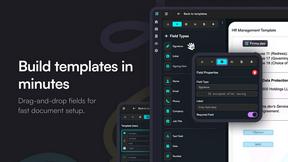
Firma.dev
Pay-as-you-go e-signature API and no-code sending. €0.049 per envelope, no monthly minimums, legally valid in 55+ countries.