

Sprite-AI
Turn your ideas into pixel-perfect game sprites in seconds, no drawing skills needed.
AI tool Details
Explore More
Alternatives

About Sprite-AI
Sprite-AI is a specialized AI-powered pixel art generator designed specifically for indie game developers, hobbyists, and prototypers who need high-quality 2D assets fast. The core experience is simple: describe any sprite in plain English, and the app instantly produces a clean, game-ready pixel art image. You can choose from standard sizes like 32x32, 64x64, or 128x128, ensuring the output matches the role you need, whether that is icons, items, characters, or hero and boss art. Once a sprite is generated, a built-in pixel editor lets you paint, erase, fill, and color-pick to fine-tune every single pixel before exporting. The final output is a transparent PNG that drops straight into major game engines like Unity, Godot, GameMaker, or Unreal. The platform also includes a community gallery for inspiration, prompt guides to help you get better results, and a token-based pricing model so you only pay for what you generate. Sprite-AI is built for mobile-first and app-centric workflows, making it easy to create, edit, and export sprites right from your phone or tablet. No drawing skills are needed, just your ideas. Whether you are in a game jam, shipping a commercial title, or prototyping a new concept, Sprite-AI removes the art bottleneck and puts the power of pixel art creation directly into your hands. The interface is intuitive, fast, and focused on getting you from idea to game-ready asset in seconds. With over thousands of sprites already generated, the community is active and growing, and the tool continues to evolve based on user feedback.
Features
AI Sprite Generation from Text
Describe any sprite in plain English, and Sprite-AI uses advanced AI to generate a pixel art image that matches your description. You can specify details like colors, poses, items, and themes. The AI understands context and produces sprites that are clean, game-ready, and properly pixelated. This feature eliminates the need for any drawing skills or artistic ability. You simply type what you imagine, and the app brings it to life in seconds. Supported sizes include 32x32, 64x64, and 128x128, and you can choose the role such as icon, item, character, or hero and boss art to ensure the sprite fits your game perfectly.
Built-in Pixel Editor for Fine-Tuning
After the AI generates your sprite, a powerful built-in pixel editor lets you make precise adjustments. You can paint new pixels, erase unwanted ones, fill large areas with a single tap, and use a color picker to match existing hues. This gives you complete control over every pixel, allowing you to tweak colors, fix details, and add your personal touch. The editor is designed for touch and mobile use, making it easy to edit sprites on the go. Once you are satisfied, you can export the final sprite as a transparent PNG file.
Seamless Game Engine Export
Sprite-AI ensures that every sprite you create is ready to use in your game development workflow. The exported transparent PNG files are compatible with all major game engines, including Unity, Godot, GameMaker, and Unreal. There is no need for additional conversion or cleanup. The sprites are sized correctly and include proper transparency, so you can drop them directly into your project. This feature saves you hours of manual asset preparation and lets you focus on building your game.
Community Gallery and Prompt Guides
The platform includes a vibrant community gallery where users share their creations. You can browse thousands of sprites for inspiration, see what others are making, and discover new ideas for your own projects. Additionally, Sprite-AI provides prompt guides that help you write better descriptions for the AI. These guides cover topics like specifying art styles, color palettes, and character poses. This feature is especially valuable for new users who want to get the best results from their prompts.
Use Cases
Rapid Prototyping for Game Jams
Game jams require speed and creativity. With Sprite-AI, you can generate entire sets of character sprites, enemy designs, and item icons in minutes instead of hours. Describe a "fire-breathing dragon with red scales" or a "medieval knight with sword and shield," and the app delivers a game-ready sprite instantly. This allows you to focus on gameplay mechanics and level design rather than getting stuck on art. The built-in editor lets you make quick tweaks to match your game's aesthetic, and the transparent PNG export works seamlessly with any game engine you choose.
Creating Consistent Asset Packs for Indie Games
Indie developers often need a large number of sprites that share a consistent art style. Sprite-AI makes this easy by allowing you to describe multiple sprites with similar themes, such as a "cute slime monster green and blue" or a "wizard staff with magical crystal." The AI understands context and maintains stylistic consistency across generations. You can then use the pixel editor to unify color palettes and fine-tune details. The result is a professional-looking asset pack that elevates your game without requiring a dedicated artist.
Generating Icons and UI Elements
User interface icons and item sprites need to be small, clear, and recognizable. Sprite-AI excels at generating 16x16, 32x32, and 64x64 icons that are perfect for inventory systems, health bars, skill trees, and more. Describe a "gold coin shiny pixel art" or a "magic wand with star tip glowing," and you get a crisp icon ready for your UI. The pixel editor lets you adjust colors to match your game's theme, and the transparent background ensures seamless integration into your interface.
Creating Hero and Boss Art for Story-Driven Games
For narrative-focused games, hero and boss sprites need to be detailed and impactful. Sprite-AI supports 128x128 generation, ideal for larger character sprites that showcase intricate designs. Describe a "ninja with spiky yellow hair and a katana" or a "medieval knight with silver armor and a glowing sword," and the AI produces a sprite that captures the essence of your character. The pixel editor allows you to refine details like armor highlights or weapon effects, ensuring your hero or boss stands out in your game world.
Pricing
Sprite-AI offers three pricing tiers designed for different levels of usage. The Starter plan is for hobbyists and game jams at $5 per month, giving you 8 game-ready sprites every month. The Creator plan is for indie developers shipping real games, currently on sale at $8 per month (38% off the regular $13), and includes 20 unique sprites per month, PNG and SVG export, private art, uncensored generations, and a full refund if not game-ready. The Studio plan is for teams and serious production, currently on sale at $24 per month (38% off the regular $39), and includes everything in Creator plus 75 sprites per month. All plans are cancel anytime, and the current pricing is locked in forever for new subscribers with only 386 out of 500 spots remaining.
Frequently Asked Questions
What sizes can I generate sprites in?
Sprite-AI supports four standard pixel art sizes: 16x16, 32x32, 64x64, and 128x128. The 16x16 size is perfect for small icons and UI elements. The 32x32 and 64x64 sizes are ideal for items, enemies, and characters. The 128x128 size is best for hero and boss art that requires more detail. You can choose the size that fits your game's needs, and the AI will generate the sprite accordingly. All sprites are exported as transparent PNG files.
Can I edit the sprites after generation?
Yes, absolutely. Sprite-AI includes a built-in pixel editor that lets you paint, erase, fill, and color-pick to fine-tune every pixel. You can adjust colors, fix details, add new elements, or remove unwanted parts. The editor is designed for touch and mobile use, so you can edit sprites directly on your phone or tablet. Once you are satisfied with your changes, you can export the final sprite as a transparent PNG.
Which game engines are supported for export?
Sprite-AI exports sprites as transparent PNG files, which are compatible with all major game engines. This includes Unity, Godot, GameMaker, and Unreal. You can drop the exported PNG files directly into your project without any additional conversion or cleanup. The sprites are sized correctly and include proper transparency, making them game-ready from the moment you download them.
How does the token-based pricing work?
Sprite-AI uses a token-based pricing model where you only pay for what you generate. Each sprite generation consumes a token, and you can purchase token packs or subscribe to a monthly plan that includes a set number of tokens. Unused tokens roll over on some plans. This flexible model ensures you never pay for more than you need. The platform also offers free trials and starter plans for hobbyists and game jam participants.
Similar to Sprite-AI



IsThisAIImage
Free AI image checker: upload a photo for AI-generated and deepfake scores, a clear verdict, and optional generator hints.
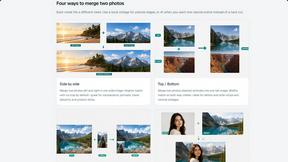
Merge Two Photos
Merge two photos free in your browser: side by side, stacked, overlay, or AI. Download a clean PNG, no watermark.
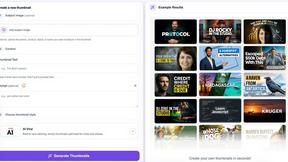
StopScroll
StopScroll is an AI thumbnail maker that generates YouTube thumbnail concepts from a URL, title, or prompt.
HubVanta AI
HubVanta AI helps creators generate images and videos with advanced AI tools for visual content workflows.
Kirkify
Kirkify AI instantly swaps any face in your photos with Charlie Kirk's iconic look for hilarious, viral-ready memes.
Anime Maker
Turn your text or photos into anime images, characters, and short videos with AI in seconds.