

SubcueAI
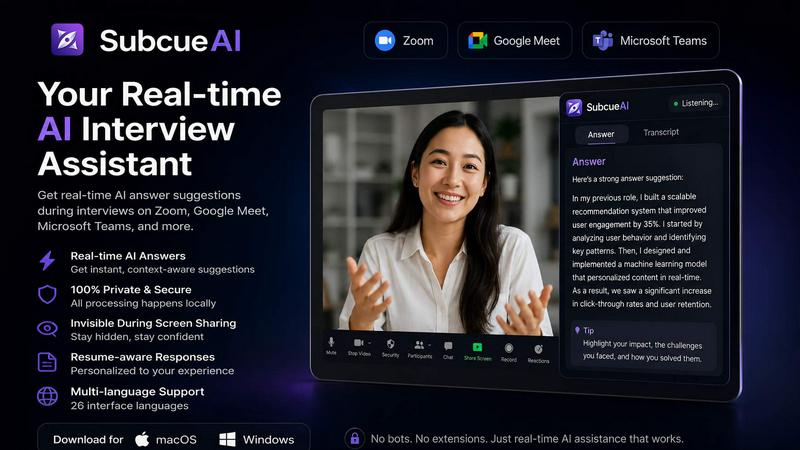
SubcueAI provides real-time AI answer suggestions during video interviews to help you prepare and perform better.
AI tool Details
Explore More
Alternatives
About SubcueAI
SubcueAI is a native desktop AI interview assistant for macOS and Windows that transforms how you prepare for job interviews. It is not a meeting bot or a web plugin. It is a lightweight application that runs on your device and captures audio locally from video call platforms like Zoom, Google Meet, Microsoft Teams, and WebEx. When you practice with a partner or a mock interviewer, SubcueAI listens to the conversation using dual audio capture, transcribes the questions you receive using speech-to-text, and surfaces real-time, context-aware answer suggestions in a floating overlay. These suggestions are powered by GPT-4o and tailored to the specific question being asked. The product is designed for candidates preparing for technical coding interviews, behavioral interviews, case interviews, and any structured job interview format. SubcueAI emphasizes privacy and trust. All audio is captured and processed on your local machine. Interview transcripts are never stored on external servers, and any uploaded resumes are encrypted at rest. The interface is minimal, with a quick-toggle visibility hotkey, allowing you to focus on your practice without distraction. Over 700 job candidates already use SubcueAI to improve their performance, track their progress with detailed analytics, and build confidence before the real interview day. It is a preparation tool, not a shortcut for misrepresentation.
Features
Real-Time AI Answer Assistant
This is the core feature of SubcueAI. As you participate in a mock interview, the application listens to the audio from the call. When an interviewer asks a question, SubcueAI transcribes it instantly and uses GPT-4o to generate intelligent, context-aware talking points. These suggestions appear in a floating overlay on your screen, giving you a structured starting point for your response. The AI adapts to the interview format, whether it is a technical question about system design, a behavioral question about leadership, or a case question about market sizing. This feature helps you organize your thoughts quickly and practice delivering coherent, confident answers.
Dual Audio Capture for Video Calls
SubcueAI uses a proprietary dual audio capture system that simultaneously records both system audio (the interviewer's voice) and your microphone audio. This allows the application to accurately distinguish between the question being asked and your own responses. It works seamlessly with all major video conferencing platforms, including Zoom, Google Meet, Microsoft Teams, WebEx, and any other call application. You do not need to install browser extensions or configure complex audio routing. Simply launch SubcueAI before your practice session, and it will automatically capture the meeting audio without interfering with the call itself.
Interview Performance Analytics
After each practice session, SubcueAI generates a detailed AI analysis of your performance. The analytics include a scoring system that evaluates your responses across multiple dimensions, such as clarity, structure, relevance, and depth. The tool identifies your strengths and weaknesses, providing specific, actionable feedback on areas for improvement. For example, it might note that you tend to provide vague examples in behavioral questions or that you could improve your explanation of time complexity in coding questions. You can track your progress across multiple practice rounds, allowing you to see measurable improvement over time.
Private and Local-First Architecture
SubcueAI is built with a privacy-first mindset. All audio capture and processing happens locally on your device. The application does not join your video call as a bot, does not record meetings to a cloud server, and does not use any third-party recording services. Interview transcripts are never persisted on SubcueAI servers. If you upload a resume to provide context for the AI, that file is encrypted at rest. The application runs quietly in the background with minimal CPU and memory usage, and you can toggle its visibility with a hotkey to maintain focus during practice. This architecture ensures that your sensitive interview data stays under your control.
Use Cases
Technical Coding Interview Preparation
Software engineers and developers can use SubcueAI to practice for technical interviews that involve algorithms, data structures, system design, and coding challenges. When practicing with a mock interviewer, the AI listens to the question and generates talking points that help you structure your approach. For example, if asked to design a distributed system, SubcueAI might suggest points about partitioning, replication, consistency models, and failure handling. This allows you to practice articulating your thought process clearly, which is often as important as the final solution.
Behavioral Interview Practice
For candidates preparing for behavioral interviews, SubcueAI helps you craft compelling stories using the STAR method (Situation, Task, Action, Result). When the interviewer asks a question like "Tell me about a time you resolved a conflict," the AI transcribes the question and surfaces relevant talking points based on your resume or past experiences. You can practice delivering these stories with the right level of detail and impact. The performance analytics then provide feedback on how well you connected your experience to the question, helping you refine your narrative for the real interview.
Case Interview Preparation for Consulting
Consulting candidates can use SubcueAI to practice case interviews, which often involve market sizing, profitability analysis, and business strategy. The AI helps you structure your approach by suggesting frameworks like MECE (Mutually Exclusive, Collectively Exhaustive) and guiding you through logical steps. For example, if given a case about entering a new market, SubcueAI might prompt you to consider market size, customer segments, competitive landscape, and entry barriers. This structured support helps you practice thinking on your feet and communicating your analysis clearly under time pressure.
Mock Interviews with a Partner
SubcueAI is particularly effective when used with a practice partner or a career coach. You can start the application before a mock interview call on Zoom or Google Meet. As your partner asks questions, SubcueAI provides real-time suggestions that you can incorporate into your answers. After the session, both you and your partner can review the performance analytics to identify areas for improvement. This collaborative approach accelerates your preparation by combining human feedback with AI-generated insights, making each practice session more productive than traditional mock interviews.
Pricing
SubcueAI operates on a credits-based pricing model with three main tiers. The Starter plan is free and provides 100 credits per month with a standard AI model, suitable for basic mock interview practice. The Pro plan costs $20 per month and includes 2,000 credits, a smart AI model, performance analytics, resume-driven context, and full interview history. The Premium plan is $75 per month and offers 8,000 credits, an expert AI model, advanced analytics, priority support, and early access to new features. You can choose between monthly, quarterly (10% discount), and annual (20% discount) billing. Additional credit top-up packs are available for all plans and never expire.
Frequently Asked Questions
What is an AI interview assistant and how does SubcueAI work?
An AI interview assistant is a software tool that helps you prepare for job interviews by providing real-time suggestions and feedback. SubcueAI captures audio from video calls on your computer, transcribes the questions asked, and uses GPT-4o to generate context-aware talking points. These suggestions appear in a floating overlay on your screen. After the session, it provides a detailed performance analysis with scores and improvement tips. It runs locally on your macOS or Windows device, ensuring your data stays private.
Does SubcueAI work with Zoom, Google Meet, and Microsoft Teams?
Yes, SubcueAI works with all major video conferencing platforms. It uses dual audio capture technology to simultaneously record system audio and your microphone. This allows it to work with Zoom, Google Meet, Microsoft Teams, WebEx, and any other application that outputs audio to your system. You do not need any special browser extensions or plugins. Simply launch SubcueAI before your call, and it will automatically capture the meeting audio.
How is SubcueAI architected — is it a meeting bot?
No, SubcueAI is not a meeting bot. It is a native desktop application that runs on your own computer. It does not join your video call as a participant. Instead, it captures the audio stream that is already playing on your device. This means no third party has access to your meeting, and no external server records the conversation. All audio processing and transcription happen locally, making it a private and secure tool for interview preparation.
Can SubcueAI help with technical and behavioral interview prep?
Yes, SubcueAI is designed to support multiple interview formats. For technical interviews, it helps with coding questions, system design, and algorithms by generating structured talking points. For behavioral interviews, it assists with crafting STAR method stories and connecting your experience to the question. It also supports case interviews for consulting roles. The AI adapts its suggestions based on the context of the question, making it a versatile tool for any type of job interview.
Similar to SubcueAI

Novastart
Apps and files on an infinite canvas where people and AI agents work together.
MD to Text
Convert Markdown to clean plain text instantly in your browser. Formatting stripped, readable output ready to copy - fully private, no sign-up.
AI Email Filter
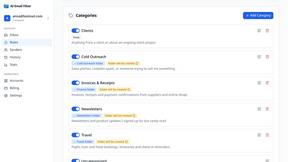
AI Email Filter sorts incoming mail into folders using plain-language prompts you write. Works with any IMAP mailbox; bring your own LLM if you want.
Product Launch Checklist
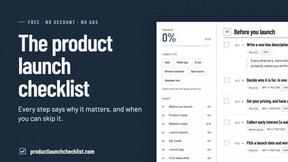
A free launch checklist for SaaS, apps, AI tools and more. Every step says why it matters and when you can skip it.
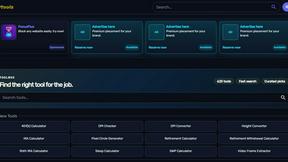
Kody Tools
Free collection of online developer utilities, code formatters, and digital converters designed to streamline your daily workflow.
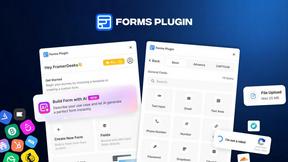
Forms Plugin
The #1 Native Form Builder Plugin for Framer - No Code, No Embeds, No External Platforms.

