

AI tool Details
Explore More
Alternatives
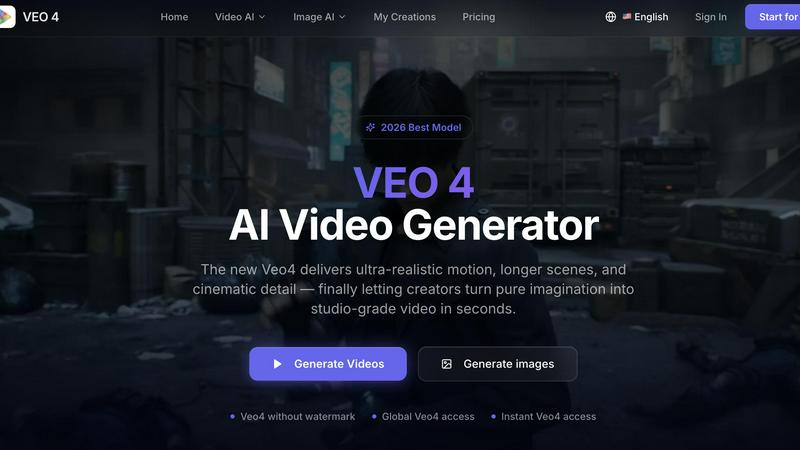
About Veo 4 video generator
Veo 4 is a next-generation AI video generator designed specifically for creators, brands, and marketing teams who need to transform text prompts, images, or existing video footage into polished, usable video content in seconds. Unlike traditional AI video tools that feel like research demos, Veo 4 is built as a practical workflow for real production environments. It delivers ultra-realistic motion, longer scenes, and cinematic detail that can be directly applied to ads, landing pages, social campaigns, and product storytelling. The platform supports three core creation paths: text to video for exploring concepts, image to video for animating static visuals, and video to video for restyling or improving existing clips. Veo 4 is most valuable when speed, clarity, and iteration matter. Marketers can produce first drafts faster, compare variations, and shorten the gap between concept and publishable media. The result is stronger ad creative, more believable visual storytelling, and cleaner exports that move straight into editing workflows. With instant global access and no watermark, Veo 4 is positioned as the 2026 best model for teams that need commercial-grade video without the slow production process. It is designed for users who want to turn pure imagination into studio-grade video quickly and efficiently.
Features
Text, Image, and Video to Video Creation
Start with a text prompt to explore a new concept, upload a still image when you need visual direction, or use existing footage for video to video workflows. This flexibility gives teams a clear path from any starting point to a stronger first draft. Whether you are brainstorming ideas, animating a product photo, or restyling a rough cut, Veo 4 adapts to your input method and delivers polished output that fits your creative goals.
Superior Motion and Scene Control
Veo 4 delivers smoother motion, cleaner framing, and scenes that feel more intentional compared to earlier models. The AI understands how objects should move, how cameras should track, and how lighting should shift across a scene. This results in video output with stronger ad creative and more believable visual storytelling. You get better control over motion direction, pacing, and visual style so every clip matches your brand or campaign requirements.
Commercial-Grade Output for Ads and Social
Built for real marketing workflows, Veo 4 produces cleaner exports that are ready for editing, landing pages, or ad platforms. The output is designed to fit common commercial jobs such as product launches, paid social videos, branded storytelling, and short-form content testing. Teams can generate usable clips fast without worrying about artifacts, jittery motion, or awkward transitions that would require extensive post-production cleanup.
Longer Clips with Clean Exports
Create longer Veo 4 clips for narrative sequences, campaign concepts, and product explainers. The model maintains consistency across extended scenes, keeping characters, objects, and environments coherent throughout the duration. Clean exports make it easy to move straight into professional editing software, landing page builders, or ad delivery systems. This feature is especially valuable for teams producing multi-scene content or longer form brand stories.
Use Cases
Product Launch and Ad Creative
Marketing teams can rapidly generate multiple ad variations for product launches by starting with a product image or a descriptive text prompt. Veo 4 animates the product in realistic settings, showing it from different angles with smooth motion and proper lighting. Teams can test different visual styles, aspect ratios, and scene compositions before committing to a full production, saving time and budget while improving ad performance.
Social Media Content Production
Creators and social media managers can produce engaging short-form videos for platforms like Instagram, TikTok, and YouTube Shorts directly from text ideas. Veo 4 handles common social video formats like 9:16 vertical and 16:9 landscape with ease. You can generate multiple variations of a concept, compare them quickly, and export the best version for posting. This accelerates content calendars and keeps feeds fresh with minimal production effort.
Video Restyling and Iteration
When a team already has footage, rough cuts, or source material that needs a new look, Veo 4s video to video workflow shines. Upload existing clips and restyle them with different visual aesthetics, adjust pacing, or improve motion quality without rebuilding from scratch. This is ideal for agencies that need to present multiple style options to clients or for product teams iterating on video assets based on feedback.
Brand Storytelling and Explainer Videos
Brands can create narrative sequences and product explainers using Veo 4s longer clip capabilities. Start with a script prompt or a storyboard image, and generate coherent scenes that maintain visual consistency across cuts. The clean exports allow editors to assemble full brand stories without spending hours on cleanup or retakes. This use case is perfect for website hero videos, campaign films, and internal communications.
Frequently Asked Questions
What is the difference between Veo 4 and other AI video generators?
Veo 4 focuses on practical usability for commercial workflows rather than being a research demo. It delivers ultra-realistic motion, longer scenes, and cinematic detail with cleaner exports that move directly into editing or publishing. The platform supports text, image, and video to video inputs, giving teams more flexibility. It is designed for speed, iteration, and real marketing use cases like ads, social content, and product storytelling.
Can I use Veo 4 without a watermark?
Yes, Veo 4 offers video generation without watermarks. This makes the output suitable for professional use in ads, landing pages, social media campaigns, and client presentations. You can export polished assets that look clean and branded from the start, without needing to overlay or edit out watermarks in post-production.
What aspect ratios does Veo 4 support?
Veo 4 supports common aspect ratios including Auto, 9:16 for vertical video, and 16:9 for widescreen. This allows you to create content optimized for different platforms such as Instagram Stories, TikTok, YouTube, and traditional video ads. You can select the ratio that matches your delivery channel before generating the video.
How do I start using Veo 4?
You can start using Veo 4 by signing up for free on the platform. Once signed in, you can immediately access the text to video, image to video, and video to video workflows. Simply enter a prompt, upload an image or video, set your aspect ratio and other preferences, then generate your first video. Credits are used per generation, and you can begin creating right away without any lengthy setup process.
Similar to Veo 4 video generator
ZombieTrend AI
ZombieTrend AI turns two photos into a cinematic zombie love story video where one person transforms and the other chooses love.

Raindance AI Video Generator
Turn two photos into the Raindance AI pier video with the soundtrack included

DanseAI - Alors on Danse AI Video Genera
Make the Alors on Danse AI meme video from two photos, soundtrack included
Opus 5.5 Video Generator
Turn a prompt into a 1080p motion-graphics MP4 planned and coded by Claude Opus 5.5

Rumpelstiltskin AI Video Generator
Make the viral Rumpelstiltskin tiptoe dance meme video from two photos
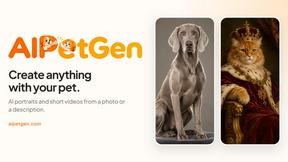
AIPetGen
AIPetGen turns a photo of your dog, cat, or other pet, or a written description, into a new picture or a short animation.

Hotel Lobby AI Video Generator
Turn two photos into a Hotel Lobby dance video in the orange A COLORS SHOW booth