

Alternatives to Veo 4 video generator
Veo 4 turns text, images, or video into ultra-realistic, studio-grade clips in seconds with cinematic detail.
Explore 20 alternatives to Veo 4 video generator. Compare features, pricing, and find the best fit for your needs.

ZombieTrend AI
ZombieTrend AI turns two photos into a cinematic zombie love story video where one person transforms and the other chooses love.

Raindance AI Video Generator
Turn two photos into the Raindance AI pier video with the soundtrack included


DanseAI - Alors on Danse AI Video Genera
Make the Alors on Danse AI meme video from two photos, soundtrack included
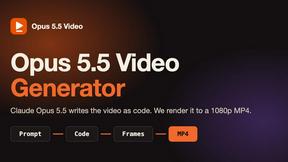
Opus 5.5 Video Generator
Turn a prompt into a 1080p motion-graphics MP4 planned and coded by Claude Opus 5.5

Rumpelstiltskin AI Video Generator
Make the viral Rumpelstiltskin tiptoe dance meme video from two photos

AIPetGen
AIPetGen turns a photo of your dog, cat, or other pet, or a written description, into a new picture or a short animation.

Hotel Lobby AI Video Generator
Turn two photos into a Hotel Lobby dance video in the orange A COLORS SHOW booth



GetYouTubeTranscript
Free YouTube transcripts on the web, a Chrome extension, and an API + MCP server so AI assistants can read YouTube.


Pixo
Pixo is an AI video director that turns a prompt or script into a storyboard, consistent scenes, voiceover, and an edited final cut.



VideoAny BE
Create AI videos from text or images, generate images and audio in one online studio.

StopScroll
StopScroll is an AI thumbnail maker that generates YouTube thumbnail concepts from a URL, title, or prompt.

HubVanta AI
HubVanta AI helps creators generate images and videos with advanced AI tools for visual content workflows.


About Veo 4 video generator Alternatives
Veo 4 video generator is a next-generation AI tool designed for creators and brands, sitting squarely in the rapidly evolving category of AI video generation software. It promises to turn pure imagination into studio-grade video, offering ultra-realistic motion, longer scenes, and cinematic detail that sets a high bar for production quality. However, many users begin searching for alternatives when they encounter specific friction points, such as a pricing model that doesn’t fit a tight budget, a lack of desired customization controls for scene progression, or the need for a platform that integrates more seamlessly with their existing mobile-first editing workflows. Others might find that while the visual output is stunning, the user interface or rendering speed doesn’t align with their fast-paced, app-centric content creation habits. When evaluating alternatives to a tool like Veo 4, the focus should shift from raw power to practical usability. The best choice for you will prioritize a mobile-friendly experience, meaning the interface should be intuitive for on-the-go editing and previewing, with controls that feel native to a smartphone or tablet. Look for a solution that balances high-fidelity output with flexible scene control, allowing you to tweak motion and detail without a steep learning curve. Ultimately, the right alternative will close the gap between advanced AI capabilities and your specific platform needs, ensuring that the video creation process feels fluid, responsive, and tailored to your daily app usage rather than a desktop-only powerhouse.
FAQs about Veo 4 video generator Alternatives
What is Veo 4 video generator?
Veo 4 video generator is a next-generation AI tool that creates realistic, cinematic videos from text prompts or creative concepts. It belongs to the AI video generation category and is designed to produce ultra-realistic motion, longer scenes, and stunning detail. The platform aims to transform pure imagination into studio-grade video content for creators and brands.
Who is Veo 4 video generator for?
Veo 4 video generator is built for creators, filmmakers, and brands who want to generate high-quality video content without traditional production resources. It is particularly suited for users who need cinematic detail and realistic motion in their projects, such as social media content creators, marketing teams, and independent storytellers. The tool is designed for those who prioritize visual fidelity and scene control in their video generation workflow.
Is Veo 4 video generator free?
Based on the provided product details, there is no explicit mention of a free tier for Veo 4 video generator. Typically, advanced AI video generators like this operate on a subscription or credit-based pricing model. Users should check the official platform for the most current pricing information, including any trial offers or free usage limits.
What are the main features of Veo 4 video generator?
Veo 4 video generator focuses on delivering ultra-realistic motion, longer scene generation, and cinematic detail that mimics studio-grade production. It offers enhanced scene control, allowing users to guide the motion and visual elements of their videos with greater precision. The tool is optimized for turning text-based ideas into highly detailed, realistic video output for professional use.