
Filator vs NanoBanana 2
Side-by-side comparison to help you choose the right AI tool.
Filator
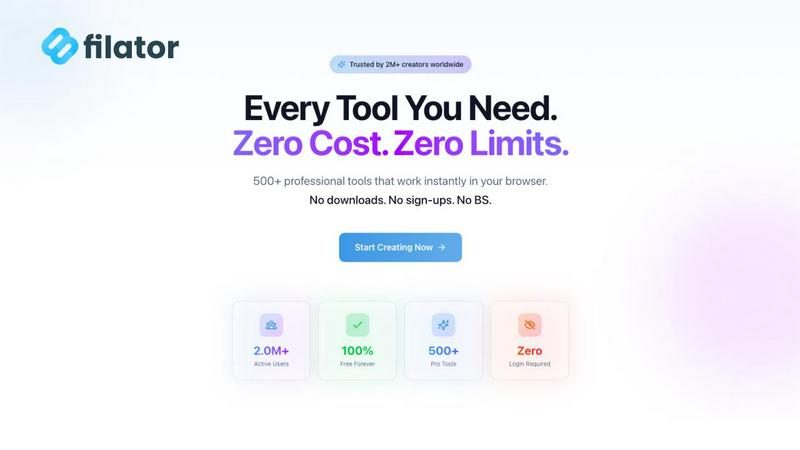
Filator is your all-in-one app with free AI tools, PDFs, and workflows to finish tasks faster.
Last updated: March 1, 2026

NanoBanana 2
NanoBanana 2 is an advanced AI photo editing tool that enhances images with professional quality and intuitive, real-time processing.
Last updated: March 18, 2026
Visual Comparison
Filator
NanoBanana 2

Feature Comparison
Filator
Mobile-First, App-Centric Design
Filator is built from the ground up for on-the-go productivity. Its interface is optimized for mobile and tablet screens, ensuring a smooth, native app-like experience directly in your browser. The platform functions as a Progressive Web App (PWA), allowing you to install it on your home screen for instant access, just like a regular app. This design philosophy prioritizes speed, intuitive navigation, and a clutter-free workspace that adapts to your device, making professional toolkits truly portable.
Zero-Friction, Privacy-First Access
Experience professional tools without the typical barriers. Filator requires no mandatory account creation to use its core features—you can just open a tool and start working. More importantly, it operates on a strict privacy-first model. Most tools, especially file processors, run entirely client-side in your browser. This means your documents, images, and data are processed on your own device and never uploaded to Filator's servers, guaranteeing your complete privacy and security.
Consolidated Tool Library (500+ Tools)
Stop switching between dozens of bookmarked websites. Filator brings an ever-growing collection of over 500 specialized tools into one unified platform. The library is meticulously organized by category—like AI Tools, PDF Tools, Image Tools, and Developer Utilities—for easy discovery. Whether you need to compress a PDF, generate an AI image, format JSON, or create a social media mockup, you can find and launch the right tool in seconds without ever leaving the Filator ecosystem.
Smart Workflows & AI Integration
Move beyond single-use tools with Filator's intelligent workflow capabilities. You can chain tools together to automate multi-step tasks, such as converting a document to PDF, then compressing it, and finally adding a watermark. The platform is deeply integrated with AI, offering a suite of context-aware assistants like the AI Chat with Files, Essay Writer, and Image Generator. These smart tools understand your intent to deliver high-quality, relevant results in seconds, supercharging complex creative and editing tasks.
NanoBanana 2
Smart Auto-Enhancement
Smart Auto-Enhancement uses advanced algorithms to analyze images and apply optimal enhancements automatically. This feature saves users time and effort by eliminating the need for manual adjustments, ensuring that every photo looks its best with minimal intervention.
Intelligent Retouching
The Intelligent Retouching feature leverages AI to understand the context of each image, allowing for natural and refined edits. This capability is particularly valuable for portrait photography, where preserving skin texture and features is essential.
Batch Processing
Batch Processing allows users to edit multiple images simultaneously, making it an essential tool for professionals who need to process large volumes of content. This feature significantly speeds up workflows, ensuring consistency and quality across all images.
Advanced Color Correction
Advanced Color Correction provides professional-grade color grading powered by deep learning algorithms. This feature allows users to achieve stunning color accuracy and vibrancy, enhancing the overall visual appeal of their images.
Use Cases
Filator
For Content Creators & Marketers
Content creators and social media managers can streamline their entire workflow. Use the AI Essay Writer to draft blog posts, then leverage the Image Generator to create unique visuals. Utilize the social media tools to craft engaging mockups for Instagram or Twitter campaigns, and use the QR Code Generator for trackable links. All these tasks can be accomplished in one place, dramatically speeding up content production and publication cycles without needing multiple subscriptions.
For Developers & Tech Professionals
Developers can use Filator as a handy Swiss Army knife for daily tasks. Quickly format and validate JSON code, generate secure passwords, test web elements, or convert data formats. The offline PWA capability means these utilities are available even without an internet connection, perfect for coding on the go or in environments with spotty connectivity. It eliminates the need to search for reliable, ad-free online tools for every small technical task.
For Students & Academics
Students can harness Filator for research and assignment work. The AI YouTube Summarizer can condense long lecture videos into key insights. The AI Chat with Links feature allows for interactive Q&A with research papers or web articles. PDF tools enable merging, splitting, or compressing research materials, while the AI Essay Writer helps structure drafts and overcome writer's block, all while ensuring their source materials and work remain private on their device.
For Freelancers & Small Business Owners
Freelancers handling diverse client work benefit from the all-in-one toolkit. Generate professional invoices, convert client files between formats, remove image backgrounds for product photos, and create marketing materials like dynamic QR codes. The transparent pricing and lack of mandatory sign-ups mean they can use professional tools without upfront commitment, delivering high-quality results to clients while managing overhead costs effectively.
NanoBanana 2
Professional Photography
Professional photographers can leverage NanoBanana 2 to enhance their portfolio images quickly. The AI-driven tools allow for seamless retouching and adjustments, ensuring that each photo meets industry standards without extensive manual work.
Social Media Content Creation
Content creators can use NanoBanana 2 to produce eye-catching visuals for their social media platforms. The quick editing capabilities enable them to maintain a consistent aesthetic while efficiently managing their content calendar.
E-commerce Product Images
E-commerce businesses can benefit from NanoBanana 2 by enhancing product images to attract customers. The tool's auto-enhancement and color correction features help create visually appealing listings that can drive sales.
Graphic Design Projects
Graphic designers can incorporate NanoBanana 2 into their workflow for quick image manipulation and enhancement. The model’s features streamline the design process, allowing for more creativity and less time spent on editing tasks.
Overview
About Filator
Filator is the ultimate mobile-first digital workspace, designed for the modern professional who needs to get things done anywhere, anytime. It consolidates over 500 powerful online tools into a single, seamless, and privacy-focused platform. Built with an app-centric philosophy, Filator eliminates the constant friction of juggling multiple websites, creating numerous accounts, and dealing with paywalls. It serves developers, designers, marketers, and creators by providing instant access to a vast library of utilities—from AI-powered generators and PDF processors to image converters and developer tools—all within your browser. The core promise is maximum productivity with zero friction: no mandatory sign-ups, no core features locked behind premium plans, and critically, no data collection. With client-side processing, your files and data never leave your device, ensuring complete privacy. Trusted by over 2 million users globally, Filator also offers a robust Progressive Web App (PWA) experience, allowing you to use 20+ essential tools even offline. It’s the intelligent choice for professional-grade results without the typical hassles of online software.
About NanoBanana 2
NanoBanana 2 is a cutting-edge AI image editing model that represents the next evolution in photo enhancement technology. Building on the original NanoBanana, this advanced tool is designed for photographers, graphic designers, and content creators who demand high-quality results with minimal effort. Its powerful AI-driven capabilities allow users to automate the image editing process while maintaining professional standards. With features like intelligent retouching, smart auto-enhancement, and one-click processing, NanoBanana 2 enables users to transform their images in a fraction of the time traditionally required. The model's focus on user experience ensures that even those with limited technical skills can achieve impressive results. Whether you are looking to enhance portraits, create stunning visuals for social media, or streamline your editing workflow, NanoBanana 2 provides an efficient and effective solution.
Frequently Asked Questions
Filator FAQ
Is Filator really free to use?
Yes, Filator offers a robust free plan that provides access to over 60 core tools without any cost. This includes many PDF, image, text, and developer utilities. The free plan also includes a monthly allowance of AI credits to try the AI-powered features. There are no mandatory sign-ups for these tools, and you will not encounter paywalls blocking basic functionality. Premium plans are available for users who require higher volumes of AI credits, advanced features like unlimited AI messages, and ad-free browsing.
How does Filator protect my privacy?
Filator employs a client-side processing model for the majority of its tools, particularly those handling files (like PDF and image tools). This means when you upload a document or image, the entire processing happens within your own web browser. Your data is never sent to or stored on Filator's servers. We simply cannot access, view, or collect your files. This architecture ensures maximum privacy and security for your sensitive documents and information.
What is a "Dynamic QR Code" in the pricing plans?
A dynamic QR code is a smart QR code that you can create and edit even after it has been printed or shared. Unlike a static QR code (which points to a fixed URL), a dynamic QR code allows you to change the destination link, update the content, or track scan analytics (like number of scans, location, and device) without having to reprint the code. Filator's paid plans include the ability to create and manage these versatile, trackable QR codes.
Can I use Filator offline?
Absolutely. Filator is a Progressive Web App (PWA), which means you can "install" it on your device from your browser. Once installed, a selection of over 20 essential tools (like basic text utilities, converters, and calculators) are available for use even without an active internet connection. This makes Filator incredibly reliable for quick tasks on the go, during travel, or in areas with limited connectivity.
NanoBanana 2 FAQ
How does NanoBanana 2 improve image quality?
NanoBanana 2 improves image quality through advanced AI algorithms that automatically enhance various aspects such as color, sharpness, and detail, resulting in professional-grade outputs.
Is NanoBanana 2 suitable for beginners?
Yes, NanoBanana 2 is designed with user experience in mind, making it accessible for beginners. Its intuitive interface and one-click editing options allow users of all skill levels to achieve high-quality results.
What types of images can I edit with NanoBanana 2?
You can edit a variety of image types with NanoBanana 2, including photos in JPEG, PNG, and WEBP formats. The tool is versatile enough for portraits, landscapes, and product images.
Can I use NanoBanana 2 for batch editing?
Absolutely! NanoBanana 2 features batch processing capabilities that allow users to edit multiple images at once, making it an efficient choice for professionals managing large volumes of work.
Alternatives
Filator Alternatives
Filator is a comprehensive, all-in-one platform in the tech tools category, consolidating hundreds of AI utilities, PDF processors, and workflow aids into a single, mobile-first app. It’s designed for professionals who need to accomplish tasks quickly without the friction of multiple logins or subscriptions. Users often explore alternatives for various reasons. Some may seek tools tailored to a very specific niche, require deep integration with other business software, or have unique pricing and platform requirements that differ from Filator’s freemium, browser-based model. When evaluating other options, key considerations include the breadth and specialization of the tool library, the platform's approach to data privacy and security, and the overall user experience. The ideal alternative should match your specific workflow needs while maintaining efficiency and trust.
NanoBanana 2 Alternatives
NanoBanana 2 is a cutting-edge AI image editing model that represents the evolution of its predecessor, offering enhanced capabilities for powerful photo editing. It falls under the category of AI assistants, designed to streamline the photo enhancement process with intelligent image processing. Users often seek alternatives to NanoBanana 2 for various reasons, including pricing considerations, specific feature requirements, or compatibility with different platforms. When exploring alternatives, it's essential to look for features that align with your editing needs, usability across devices, and overall value for money. Consider factors such as the ease of use, available tools, and the quality of AI-driven enhancements to ensure you find the right fit for your photo editing tasks.