
GPT Image 2 vs Img Editor
Side-by-side comparison to help you choose the right AI tool.

GPT Image 2
GPT Image 2 is a powerful AI image generator that creates stunning, photorealistic images with exceptional text accuracy and color fidelity.
Last updated: April 13, 2026

Img Editor
Easily create stunning AI-generated images in seconds with Img Editor's advanced machine learning technology.
Last updated: February 28, 2026
Visual Comparison
GPT Image 2
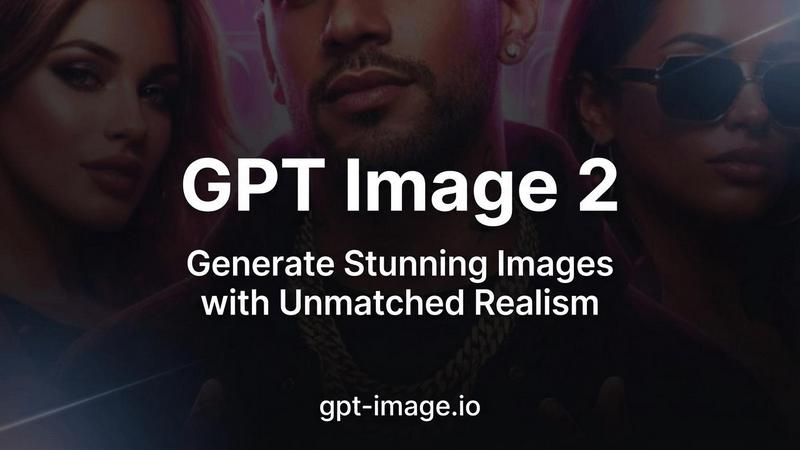
Img Editor

Feature Comparison
GPT Image 2
Razor-Sharp Text Rendering
GPT Image 2 boasts industry-leading text clarity, achieving over 95% accuracy in rendering text within images. This feature is perfect for designs that require embedded text, such as posters, mockups, and social media graphics, ensuring every word is crisp and readable.
Photorealistic Output
With the ability to generate images in resolutions up to 4K (4096×4096), GPT Image 2 produces lifelike visuals with natural lighting and detail that rivals professional photography. This photorealistic generation allows users to create images that are nearly indistinguishable from real photographs.
True Color Accuracy
One of the standout features of GPT Image 2 is its commitment to accurate color reproduction. The model eliminates common issues like warm yellow color casts, delivering neutral and true-to-life colors that faithfully reflect the user’s creative intent.
Rich World Knowledge
GPT Image 2 leverages a deep understanding of cultural context, real-world objects, and complex scene composition. This rich world knowledge ensures that the images generated are not only accurate but also nuanced, making them suitable for a wide range of subjects.
Img Editor
AI-Powered Image Generation
Img Editor utilizes cutting-edge AI algorithms to generate high-quality images from textual descriptions. Users can easily input prompts to create unique visuals, enabling quick and efficient design processes without the need for extensive graphic design skills.
Advanced Image Editing Tools
In addition to generating images, Img Editor offers robust editing features that allow users to modify existing images. Users can refine and enhance their visuals with personalized prompts, making it easy to achieve the desired look and feel for their projects.
Community Engagement Rewards
Img Editor encourages creativity and interaction by offering unlimited bonus generations through community engagement. Users can submit their creations to the gallery and earn extra generations when their submissions are approved, fostering a vibrant community of digital artists.
Versatile Aspect Ratios and Quality Settings
With Img Editor, users can select different aspect ratios and image quality settings to suit their needs. Whether they require a square format for social media or ultra-high-definition images for professional presentations, Img Editor provides the flexibility to accommodate various project requirements.
Use Cases
GPT Image 2
Marketing Materials
GPT Image 2 is ideal for creating stunning marketing materials that require both striking visuals and clear text. Whether for print ads or digital campaigns, the photorealistic outputs capture attention and convey messages effectively.
Social Media Graphics
Social media is all about visuals, and GPT Image 2 enables users to create eye-catching graphics quickly. With its razor-sharp text rendering, users can produce engaging posts that enhance their online presence and brand image.
Product Mockups
For designers and product developers, GPT Image 2 offers the ability to generate high-quality product mockups that showcase items in realistic settings. This feature is invaluable for presentations and pitches, helping to visualize concepts effectively.
Artistic Projects
Artists and illustrators can leverage the versatile styles supported by GPT Image 2 to create unique artwork. From photorealism to illustration and watercolor, the tool adapts to various artistic visions, broadening creative possibilities.
Img Editor
Social Media Content Creation
Marketers and social media managers can leverage Img Editor to quickly generate eye-catching visuals that capture audience attention. The platform's AI-powered capabilities allow for the rapid production of graphics tailored to specific campaigns, helping users maintain a consistent content flow.
Digital Art Exploration
Artists and hobbyists can use Img Editor as a creative playground to experiment with different styles and concepts. The ability to generate images from text prompts enables artists to visualize their ideas and explore new creative directions without the constraints of traditional tools.
Marketing and Advertising Materials
Businesses can use Img Editor to create custom visuals for advertisements, brochures, and online content. With its high-quality image generation capabilities, the platform ensures that marketing materials stand out and effectively communicate brand messages.
Educational Projects and Presentations
Educators and students can benefit from Img Editor by creating engaging visuals for presentations, projects, and reports. The ease of generating images tailored to specific topics enhances learning experiences and helps convey complex ideas visually.
Overview
About GPT Image 2
GPT Image 2 is an advanced AI image generation tool designed to meet the needs of professionals, designers, and creators who seek high-quality visuals for various applications. This next-gen AI model stands out in the crowded field of image generators by delivering razor-sharp text rendering, photorealistic outputs, and an extensive understanding of world knowledge. With capabilities to generate images at resolutions up to 4K, GPT Image 2 ensures that every image produced is not only visually stunning but also rich in detail. It is perfect for a wide range of use cases, from marketing materials to social media graphics, enabling users to bring their creative visions to life with unmatched realism and precision. With a user-friendly interface and fast generation times, GPT Image 2 allows for a seamless workflow, making it an invaluable tool for anyone looking to elevate their visual content.
About Img Editor
Img Editor is an innovative AI-driven image generation platform designed to make stunning visuals accessible to everyone, regardless of their artistic background. By harnessing the power of advanced artificial intelligence, Img Editor caters to a wide range of users, from professional artists and designers to marketers and digital art enthusiasts. This platform enables users to effortlessly turn their creative ideas into high-quality images through a simple and intuitive interface. With Img Editor, users can generate images from textual descriptions or edit existing visuals using personalized prompts, providing a dual capability that enhances creative projects. The platform stands out by offering 10 free image generations daily and unlimited bonus generations through community engagement, ensuring that users can explore their creativity without financial barriers. Img Editor is not just a tool; it is a gateway to transforming imagination into reality, making it perfect for anyone looking to elevate their digital art experience.
Frequently Asked Questions
GPT Image 2 FAQ
What makes GPT Image 2 different from other AI image generators?
GPT Image 2 sets itself apart with its superior text accuracy, photorealistic output, and true color reproduction. It is specifically designed for professionals needing high-quality visuals, unlike many other models that may compromise on detail or realism.
Can I use GPT Image 2 for commercial purposes?
Yes, GPT Image 2 is suitable for commercial use. Whether you are creating marketing materials, product mockups, or social media graphics, the model delivers high-quality results that meet professional standards.
How quickly can I generate images with GPT Image 2?
Images can be generated in under 30 seconds, making GPT Image 2 an efficient tool for those who need high-quality visuals in a short amount of time. This fast workflow is particularly beneficial for busy professionals.
What artistic styles does GPT Image 2 support?
GPT Image 2 supports over 50 artistic styles, ranging from photorealism to various illustrative techniques. This versatility allows users to tailor their images to their specific creative needs, making it a powerful tool for diverse projects.
Img Editor FAQ
How many free image generations can I get daily?
Users can enjoy 10 free image generations every day. Additionally, you can earn unlimited bonus generations by engaging with the community and submitting your creations to the gallery for review.
Can I edit existing images using Img Editor?
Yes, Img Editor allows users to edit existing images with personalized prompts. This feature enables users to enhance their visuals or make specific adjustments based on their creative vision.
What types of users benefit from Img Editor?
Img Editor is designed for a diverse audience, including artists, designers, marketers, and hobbyists. Anyone interested in creating or enhancing digital art can benefit from the platform's user-friendly features and AI capabilities.
What are the quality settings available in Img Editor?
Img Editor offers various quality settings for generated images, including standard and high-quality options. Users can choose from different resolutions such as 1K, 2K, and 4K to suit their specific project needs and requirements.
Alternatives
GPT Image 2 Alternatives
GPT Image 2 is an innovative AI image generator that excels in producing photorealistic images and offers impressive text rendering capabilities. As part of the image generation category, it harnesses deep world knowledge to create visuals that cater to various user needs. However, users often seek alternatives to GPT Image 2 for reasons such as pricing, specific feature requirements, or compatibility with certain platforms. The quest for the right tool can stem from a desire for unique attributes that better suit individual projects or personal preferences. When searching for an alternative, it’s essential to consider factors such as ease of use, the quality of output, and the availability of advanced features. Users should also evaluate the cost structure, ensuring that the solution provides good value for the investment. Compatibility with mobile devices and other platforms can significantly enhance the user experience, making it crucial to choose a tool that aligns with your specific workflow and creative goals.
Img Editor Alternatives
Img Editor is an innovative platform that harnesses advanced machine learning technology to create stunning AI-generated images. As part of the Image & Photo category, it serves a wide array of users, including artists, designers, marketers, and hobbyists, allowing them to easily convert their ideas into high-quality visuals. However, users often seek alternatives due to various reasons such as pricing structures, feature sets, and specific platform requirements that may not align with their creative needs. When considering an alternative, it's important to evaluate factors such as user-friendliness, the range of features offered, and whether the platform supports both image generation and editing. Additionally, users should assess the pricing model and whether it provides sufficient value for their creative projects. Finding a tool that meets individual preferences and enhances the creative workflow is essential for maximizing artistic potential.