
Img Editor vs Seedream 4.0
Side-by-side comparison to help you choose the right AI tool.

Img Editor
Easily create stunning AI-generated images in seconds with Img Editor's advanced machine learning technology.
Last updated: February 28, 2026

Seedream 4.0
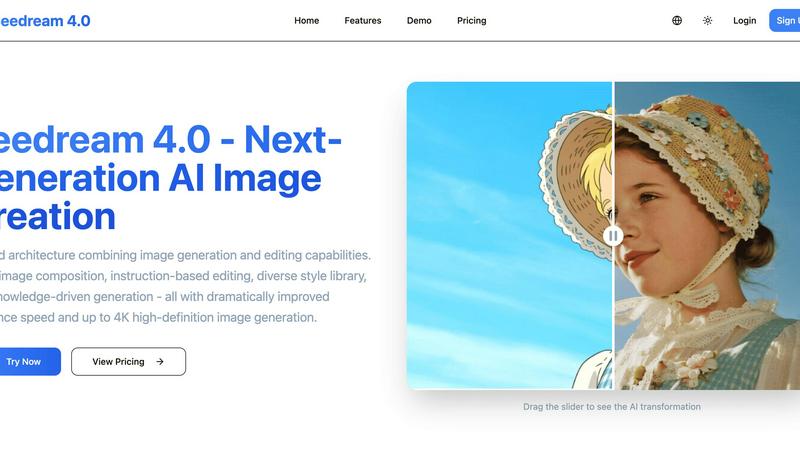
Seedream 4.0 is your all-in-one AI app for creating and editing stunning HD images with just a sentence.
Last updated: March 1, 2026
Visual Comparison
Img Editor

Seedream 4.0
Feature Comparison
Img Editor
AI-Powered Image Generation
Img Editor utilizes cutting-edge AI algorithms to generate high-quality images from textual descriptions. Users can easily input prompts to create unique visuals, enabling quick and efficient design processes without the need for extensive graphic design skills.
Advanced Image Editing Tools
In addition to generating images, Img Editor offers robust editing features that allow users to modify existing images. Users can refine and enhance their visuals with personalized prompts, making it easy to achieve the desired look and feel for their projects.
Community Engagement Rewards
Img Editor encourages creativity and interaction by offering unlimited bonus generations through community engagement. Users can submit their creations to the gallery and earn extra generations when their submissions are approved, fostering a vibrant community of digital artists.
Versatile Aspect Ratios and Quality Settings
With Img Editor, users can select different aspect ratios and image quality settings to suit their needs. Whether they require a square format for social media or ultra-high-definition images for professional presentations, Img Editor provides the flexibility to accommodate various project requirements.
Seedream 4.0
Unified Generation & Editing
Experience a seamless creative flow where generating and editing an image happen in the same place. Start from a text prompt to create a high-definition image, then use simple instructions to refine colors, add elements, or change the style. This unified architecture breaks down the traditional barriers between creation and refinement, making the entire process intuitive and efficient right from your phone or tablet.
Multi-Image Composition
Go beyond single-image creation by inputting multiple reference images and achieving a complex composition with just one sentence. This powerful feature, combined with batch output capabilities, streamlines workflows for complex visual storytelling, mood boards, and consistent brand asset creation. It allows you to blend concepts and visuals effortlessly for more ambitious projects.
Instruction-Based Editing
True "what you say is what you get" editing is at your fingertips. Make precise changes to any image using natural language commands. Simply describe the transformation you want—like "make the sky more dramatic" or "add a vintage filter"—and Seedream 4.0's AI understands and executes. This makes sophisticated editing accessible to everyone, eliminating the need for complex manual tools.
Diverse Style Library & Knowledge-Driven Generation
Access a vast, built-in library of professional styles, from watercolor and cyberpunk to cinematic and anime, to instantly apply a unique visual language to your creations. Furthermore, its knowledge-driven generation engine understands context and concepts, enabling the creation of accurate educational illustrations, detailed charts, and professional imagery that are both beautiful and semantically correct.
Use Cases
Img Editor
Social Media Content Creation
Marketers and social media managers can leverage Img Editor to quickly generate eye-catching visuals that capture audience attention. The platform's AI-powered capabilities allow for the rapid production of graphics tailored to specific campaigns, helping users maintain a consistent content flow.
Digital Art Exploration
Artists and hobbyists can use Img Editor as a creative playground to experiment with different styles and concepts. The ability to generate images from text prompts enables artists to visualize their ideas and explore new creative directions without the constraints of traditional tools.
Marketing and Advertising Materials
Businesses can use Img Editor to create custom visuals for advertisements, brochures, and online content. With its high-quality image generation capabilities, the platform ensures that marketing materials stand out and effectively communicate brand messages.
Educational Projects and Presentations
Educators and students can benefit from Img Editor by creating engaging visuals for presentations, projects, and reports. The ease of generating images tailored to specific topics enhances learning experiences and helps convey complex ideas visually.
Seedream 4.0
Social Media Content Creation
Ideal for influencers, marketers, and small businesses, Seedream 4.0 lets you quickly generate eye-catching, original visuals for posts, stories, and ads. Create cohesive themes, design unique graphics, and edit photos on-the-fly with simple text instructions, ensuring your social feeds stand out without requiring a desktop or design team.
Professional Design & Marketing
For designers and marketing teams, the tool accelerates asset production for campaigns, websites, and presentations. Use multi-image composition for mood boards, generate high-quality concept art in seconds, and apply consistent branding with the style library. The speed and 4K output enable rapid iteration and delivery of professional-grade materials.
Personal Creativity & Storytelling
Hobbyists, writers, and dreamers can bring their ideas to life. Visualize characters for a story, create concept art for a game, or generate illustrations for a personal blog. The intuitive, app-centric design makes it easy to experiment and explore visual ideas anytime, anywhere, turning imagination into tangible artwork with minimal friction.
Educational & Professional Visuals
Teachers, students, and professionals can create accurate, engaging visual aids. Generate clear diagrams, historical reconstructions, scientific concepts, or professional charts using the knowledge-driven generation feature. This enhances understanding and communication by producing visuals that are not only attractive but also contextually precise.
Overview
About Img Editor
Img Editor is an innovative AI-driven image generation platform designed to make stunning visuals accessible to everyone, regardless of their artistic background. By harnessing the power of advanced artificial intelligence, Img Editor caters to a wide range of users, from professional artists and designers to marketers and digital art enthusiasts. This platform enables users to effortlessly turn their creative ideas into high-quality images through a simple and intuitive interface. With Img Editor, users can generate images from textual descriptions or edit existing visuals using personalized prompts, providing a dual capability that enhances creative projects. The platform stands out by offering 10 free image generations daily and unlimited bonus generations through community engagement, ensuring that users can explore their creativity without financial barriers. Img Editor is not just a tool; it is a gateway to transforming imagination into reality, making it perfect for anyone looking to elevate their digital art experience.
About Seedream 4.0
Seedream 4.0 is the next-generation AI image generator and editor built for a seamless mobile and web experience. It fundamentally changes how you create visuals by unifying generation and editing into a single, intuitive architecture. This means you can go from a simple text prompt to a stunning, high-definition image, and then refine it with equally simple instructions, all without ever leaving the app. Designed for creators of all skill levels, it empowers social media enthusiasts to craft unique posts and enables professional designers and marketers to produce high-quality visual assets at unprecedented speed. The core promise of Seedream 4.0 is delivering professional-grade AI power with a focus on simplicity, control, and speed. With dramatically improved processing times and support for crystal-clear 4K resolution, it transforms your fleeting ideas into vivid reality faster than ever, putting advanced visual storytelling directly in the palm of your hand. It's not just a tool; it's your creative partner for the mobile-first world.
Frequently Asked Questions
Img Editor FAQ
How many free image generations can I get daily?
Users can enjoy 10 free image generations every day. Additionally, you can earn unlimited bonus generations by engaging with the community and submitting your creations to the gallery for review.
Can I edit existing images using Img Editor?
Yes, Img Editor allows users to edit existing images with personalized prompts. This feature enables users to enhance their visuals or make specific adjustments based on their creative vision.
What types of users benefit from Img Editor?
Img Editor is designed for a diverse audience, including artists, designers, marketers, and hobbyists. Anyone interested in creating or enhancing digital art can benefit from the platform's user-friendly features and AI capabilities.
What are the quality settings available in Img Editor?
Img Editor offers various quality settings for generated images, including standard and high-quality options. Users can choose from different resolutions such as 1K, 2K, and 4K to suit their specific project needs and requirements.
Seedream 4.0 FAQ
Can I try Seedream 4.0 for free?
Yes, you can experience Seedream 4.0's capabilities firsthand. The platform offers a way to test its core features, allowing you to explore image generation and editing before committing to a subscription. Visit the website or app to start your creative journey.
How does Seedream 4.0 work?
Seedream 4.0 uses a powerful, unified AI architecture. You provide a text prompt or upload an image, and the AI interprets your instructions to generate a new image or edit an existing one. It combines advanced diffusion models with a deep understanding of language and styles to produce high-quality, relevant visuals at remarkable speed.
What makes Seedream 4.0 different from other AI image tools?
Its key differentiator is the seamless unification of generation and editing within a single, mobile-optimized workflow. Unlike tools that separate these functions, Seedream 4.0 allows you to create and refine images in one continuous process using simple instructions. It also emphasizes speed, 4K quality, and features like multi-image composition for more advanced creative control.
Can I use the generated images commercially?
The commercial usage rights for images created with Seedream 4.0 depend on your subscription plan. Typically, paid plans grant licenses for commercial use, allowing you to utilize the generated visuals in marketing materials, products, and client work. It's recommended to review the specific Terms of Service for your plan for detailed licensing information.
Alternatives
Img Editor Alternatives
Img Editor is an innovative platform that harnesses advanced machine learning technology to create stunning AI-generated images. As part of the Image & Photo category, it serves a wide array of users, including artists, designers, marketers, and hobbyists, allowing them to easily convert their ideas into high-quality visuals. However, users often seek alternatives due to various reasons such as pricing structures, feature sets, and specific platform requirements that may not align with their creative needs. When considering an alternative, it's important to evaluate factors such as user-friendliness, the range of features offered, and whether the platform supports both image generation and editing. Additionally, users should assess the pricing model and whether it provides sufficient value for their creative projects. Finding a tool that meets individual preferences and enhances the creative workflow is essential for maximizing artistic potential.
Seedream 4.0 Alternatives
Seedream 4.0 is a powerful, all-in-one AI image generator and editor. It stands out in the mobile and web app space by letting you create and modify stunning HD images using simple text prompts, all within a single, intuitive interface. This unified approach makes advanced visual creation accessible right from your phone. Users often explore other apps for various reasons. Some may need a tool that fits a specific budget or subscription model. Others might prioritize different features, like a particular art style or integration with other platforms. The specific needs of your workflow will guide your search. When looking for a different app, consider what matters most for your on-the-go creativity. Key factors include the quality and style of image generation, the ease and power of the editing tools, and whether the app feels smooth and responsive on your device. Also, think about pricing, output resolution, and how well it supports your specific projects.