
LLMWise vs QuickImg
Side-by-side comparison to help you choose the right AI tool.

Access top AI models like GPT and Claude in one API, with smart auto-routing and pay-per-use pricing for maximum.
Last updated: February 27, 2026

Create stunning AI images and edit photos instantly with one powerful app.
Last updated: February 28, 2026
Visual Comparison
LLMWise

QuickImg
Feature Comparison
LLMWise
Smart Routing
LLMWise's smart routing feature intelligently directs prompts to the optimal model based on the task at hand. This means that code-related queries are sent to GPT, creative writing tasks are directed to Claude, and translation requests are handled by Gemini. This ensures that users get the best possible answers for their specific needs, enhancing overall output quality.
Compare & Blend
The compare and blend functionality allows users to run prompts across multiple models side-by-side. This feature not only lets users assess the performance of different models but also enables them to combine the best parts of each model’s output into a single, more coherent response. This orchestration leads to richer results that leverage the strengths of various models.
Always Resilient
LLMWise is built with resilience in mind. Its circuit-breaker failover mechanism ensures that if one provider goes down, the system reroutes requests to backup models seamlessly. This guarantees that applications remain operational and responsive, minimizing downtime and enhancing user experience.
Test & Optimize
For developers focused on performance, LLMWise includes benchmark suites, batch testing capabilities, and optimization policies that allow for fine-tuning based on speed, cost, or reliability. Automated regression checks further enhance the platform's robustness, making it easier to maintain high-quality outputs over time.
QuickImg
Unified AI Model Hub
Access multiple cutting-edge AI image models in one streamlined app. Switch seamlessly between Google's Nano Banana Pro for text rendering, OpenAI's GPT Image 1, or ByteDance's ultra-fast Seedream 4K generator without needing separate subscriptions or apps. This hub approach lets you choose the perfect model for your specific task, ensuring optimal results for everything from photorealistic scenes to anime art, all from a single, cohesive interface.
Natural Language-Driven Editing
Transform your images using simple words, not complex tools. This feature allows you to perform intricate edits by just describing what you want to change. Want to remove an object, change a background color, or alter clothing? Simply type your instruction, and QuickImg's AI, including models like Flux Kontext, handles the technical execution with precision, making professional editing as easy as having a conversation.
One-Click Specialized Tools
Simplify complex workflows with dedicated, instant-action tools. The platform includes a suite of one-click solutions like AI Background Changer, Watermark Remover, PNG Maker, and Image Upscaler. These tools are designed for mobile efficiency, allowing you to perform tasks like removing a green screen or enhancing resolution to 4K with a single tap, saving you time and effort on detailed manual work.
Ready-to-Use Templates & Asset Library
Jumpstart your creativity with a wide collection of professionally designed templates for common scenarios like social media posts, ads, or product photos. This feature, combined with an intuitive asset management system within the app, helps you maintain consistency and speed up your workflow. Upload, organize, and edit your images all in one place, turning ideas into polished visuals in minutes.
Use Cases
LLMWise
Software Development
Developers can utilize LLMWise to optimize their coding processes by routing coding queries to the most relevant model. This helps in addressing edge cases effectively and reduces the time spent on debugging by providing precise outputs.
Content Creation
For content creators, LLMWise offers a streamlined approach to generating high-quality written material. By leveraging its blend feature, users can merge creative inputs from Claude with other models to produce unique and engaging content efficiently.
Translation Services
LLMWise shines in translation tasks by directing requests to the best-suited model for language translation. This ensures accuracy and fluency in translated texts, making it an invaluable tool for businesses operating in multilingual environments.
Data Analysis
Data scientists can harness the testing and optimization features of LLMWise to analyze and interpret large datasets. By routing analysis queries to the appropriate models and benchmarking their outputs, users can derive meaningful insights with greater efficiency.
QuickImg
Social Media Content Creation
Ideal for influencers, marketers, and small business owners who need a constant stream of engaging visuals. Quickly generate unique post images, create branded templates, remove backgrounds for product shots, or transform photos into eye-catching anime-style artwork to stand out on platforms like Instagram, TikTok, and Facebook, all from your mobile device.
Professional Design & Prototyping
Graphic designers and digital artists can use QuickImg to rapidly brainstorm concepts, generate mockups, and create visual assets. The ability to iterate with different AI models and use natural language to refine edits makes it a powerful tool for prototyping website visuals, marketing materials, or character designs before moving into final production in other software.
Personal Photo Enhancement & Fun
Perfect for everyday users looking to improve personal photos or have creative fun. Easily upscale old family pictures to 4K, remove unwanted text or people from images, change backgrounds in portrait shots, or use the Pet to Human tool for entertaining transformations. It turns your phone into a powerful photo lab for enhancing memories and exploring creativity.
E-commerce & Product Listing
Online sellers can efficiently create clean, professional product images. Use the AI Background Changer to place items on pure white or contextual backgrounds, remove watermarks from supplier images, and upscale product photos for higher detail. This streamlines the listing process, making products look more appealing and consistent across marketplaces like Amazon or Etsy.
Overview
About LLMWise
LLMWise is a powerful API solution designed to streamline the use of multiple large language models (LLMs) by providing a single interface to access the best models for every task. With LLMWise, developers can tap into an extensive range of LLMs from leading providers such as OpenAI, Anthropic, Google, Meta, xAI, and DeepSeek. The platform simplifies the complexities of managing multiple AI subscriptions by offering intelligent routing that matches prompts to the most suitable model. This makes it ideal for developers looking for flexibility and efficiency in their applications. LLMWise not only enhances productivity but also reduces costs, eliminating the need for multiple subscriptions while ensuring that your application remains resilient and responsive even during outages.
About QuickImg
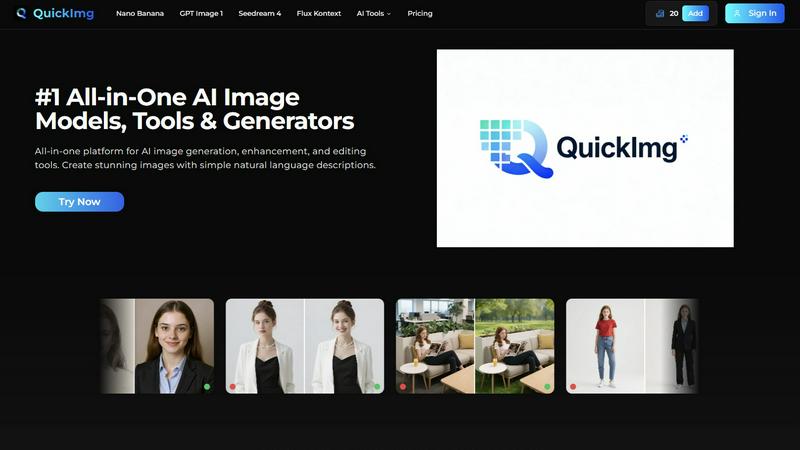
QuickImg is the definitive mobile-first platform that puts the power of professional AI image creation directly in your hands. Designed as an all-in-one suite, it seamlessly integrates generation, enhancement, and editing into a single, intuitive app experience. Whether you're a graphic designer on the go, a social media manager crafting content, or a creative hobbyist, QuickImg eliminates complex software and technical barriers. Its core value lies in translating your simple natural language descriptions into stunning, high-quality visuals using top-tier AI models like Nano Banana, GPT Image 1, and Seedream 4. You don't need to be a prompt engineer; just describe your vision and let the AI do the heavy lifting. The platform's clean, user-centric design ensures smooth navigation from concept to final download, making advanced image manipulation accessible and effortless for everyone, anywhere.
Frequently Asked Questions
LLMWise FAQ
How does LLMWise improve efficiency?
LLMWise consolidates access to multiple AI models into one API, reducing the need for managing multiple subscriptions and dashboards. This simplification enhances workflow efficiency for developers.
Can I use my existing API keys with LLMWise?
Yes, LLMWise supports the "Bring Your Own Key" (BYOK) feature, allowing users to integrate their existing API keys into the platform. This flexibility helps in controlling costs and leveraging current investments.
What happens if a model provider is down?
LLMWise includes a circuit-breaker failover system that automatically reroutes requests to backup models when a primary provider is unavailable. This ensures continuous service without interruptions.
Are there any costs associated with using LLMWise?
LLMWise operates on a pay-as-you-go model, allowing users to pay only for the resources they consume. Additionally, users receive 20 free credits upon signing up, with no expiration on credits, making it cost-effective for developers.
QuickImg FAQ
What AI models are available on QuickImg?
QuickImg provides access to several leading AI models in one platform. This includes Nano Banana and Nano Banana Pro (known for advanced text rendering), GPT Image 1 (OpenAI's multimodal generator), Seedream 4 (for 4K generation and speed), and Flux Kontext (for precise editing). You can select the model that best fits your specific image creation or editing task.
Do I need to know how to write AI prompts?
No, you do not need to be an expert in writing technical AI prompts. QuickImg is designed to work with simple, natural language descriptions. Just describe the image you want to create or the edit you want to make in plain English (or your preferred language), and our AI interprets your request to generate the desired result.
Can I edit my existing images with QuickImg?
Absolutely. QuickImg is not just a generator; it's a full editing suite. You can upload your existing photos and use our AI tools to enhance them. This includes upscaling resolution, removing objects or text, changing backgrounds, converting formats to PNG, applying filters like Photo to Anime, and much more, all through an intuitive mobile interface.
Is there a free trial or any discounts available?
QuickImg often runs promotional offers for new users. Currently, there is a limited-time offer providing 50% off your first purchase. You can use the promo code QI50 at checkout to avail of this discount. Check the app or website for the latest information on trial options and ongoing promotions.
Alternatives
LLMWise Alternatives
LLMWise is an advanced AI tool that provides a single API for seamless access to various large language models (LLMs) such as GPT, Claude, and Gemini, making it easier for developers to harness the power of multiple AI providers without the hassle of managing each one separately. Users often seek alternatives to LLMWise for a variety of reasons, including pricing structures, specific features that may better fit their platform needs, or preferences for different user experiences. When exploring alternatives, consider factors such as model capabilities, ease of integration, pricing models, and the overall user experience. Look for solutions that offer flexible payment options and robust features that align with your project requirements. Prioritizing tools that provide efficient routing, compatibility with existing systems, and a strong support framework can enhance your decision-making process.
QuickImg Alternatives
QuickImg is a powerful AI assistant for image creation and editing, allowing anyone to generate and enhance visuals using simple text descriptions. It's part of the growing category of AI-powered creative tools that simplify complex design tasks. Users often explore alternatives for various reasons. Some may need a different pricing model or a free tier, while others might seek specific features, different AI models, or better integration with their existing mobile or desktop workflow. Platform compatibility and the need for specialized editing tools also drive the search. When choosing an alternative, consider your primary use case. Look at the core AI capabilities, ease of use on your preferred device, the quality and style of image outputs, and the overall value for your budget. The right tool should fit seamlessly into your creative process, whether you're a professional or a hobbyist.