
LLMWise vs SVG to 3D
Side-by-side comparison to help you choose the right AI tool.

LLMWise
Access top AI models like GPT and Claude in one API, with smart auto-routing and pay-per-use pricing for maximum.
Last updated: February 27, 2026

SVG to 3D
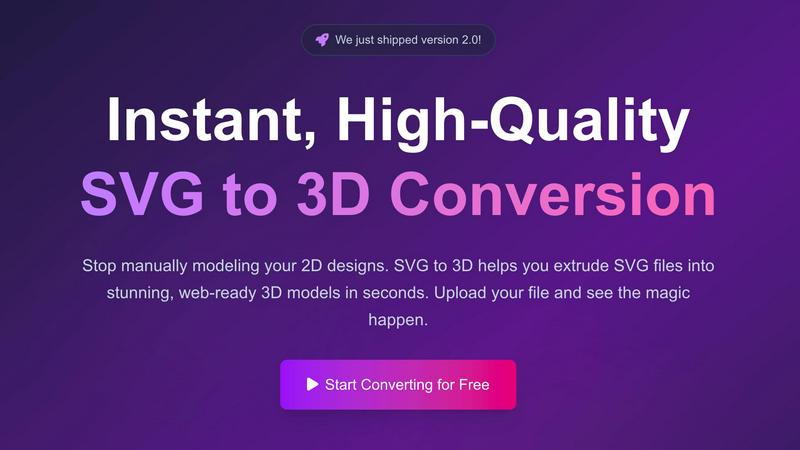
Easily transform your SVG files into stunning 3D models with advanced controls and lightning-fast processing.
Last updated: February 28, 2026
Visual Comparison
LLMWise

SVG to 3D
Feature Comparison
LLMWise
Smart Routing
LLMWise's smart routing feature intelligently directs prompts to the optimal model based on the task at hand. This means that code-related queries are sent to GPT, creative writing tasks are directed to Claude, and translation requests are handled by Gemini. This ensures that users get the best possible answers for their specific needs, enhancing overall output quality.
Compare & Blend
The compare and blend functionality allows users to run prompts across multiple models side-by-side. This feature not only lets users assess the performance of different models but also enables them to combine the best parts of each model’s output into a single, more coherent response. This orchestration leads to richer results that leverage the strengths of various models.
Always Resilient
LLMWise is built with resilience in mind. Its circuit-breaker failover mechanism ensures that if one provider goes down, the system reroutes requests to backup models seamlessly. This guarantees that applications remain operational and responsive, minimizing downtime and enhancing user experience.
Test & Optimize
For developers focused on performance, LLMWise includes benchmark suites, batch testing capabilities, and optimization policies that allow for fine-tuning based on speed, cost, or reliability. Automated regression checks further enhance the platform's robustness, making it easier to maintain high-quality outputs over time.
SVG to 3D
One-Click GLB Export
With a single click, you can convert SVG files into web-optimized GLB formats. This feature is specifically tailored for web developers, allowing seamless integration into Three.js or React Three Fiber projects, enhancing the interactive experience of websites.
3D-Print Ready STL Exports
SVG to 3D provides clean STL exports that are directly compatible with slicer software for 3D printing. This feature ensures that designs can be brought to life physically without the need for complex CAD software, making the process straightforward and efficient.
Advanced 3D Modeling Controls
Users have the ability to go beyond basic extrusion with SVG to 3D. The tool offers options to adjust thickness, add bevels, and apply realistic PBR materials, all while providing a real-time 3D preview. This level of control ensures high-quality output that meets professional standards.
Lightning-Fast Processing
The tool is engineered with optimized algorithms that allow for near-instantaneous SVG to 3D conversions. Users can expect their files to be processed in seconds, making it one of the fastest online conversion tools available, ideal for busy designers and developers.
Use Cases
LLMWise
Software Development
Developers can utilize LLMWise to optimize their coding processes by routing coding queries to the most relevant model. This helps in addressing edge cases effectively and reduces the time spent on debugging by providing precise outputs.
Content Creation
For content creators, LLMWise offers a streamlined approach to generating high-quality written material. By leveraging its blend feature, users can merge creative inputs from Claude with other models to produce unique and engaging content efficiently.
Translation Services
LLMWise shines in translation tasks by directing requests to the best-suited model for language translation. This ensures accuracy and fluency in translated texts, making it an invaluable tool for businesses operating in multilingual environments.
Data Analysis
Data scientists can harness the testing and optimization features of LLMWise to analyze and interpret large datasets. By routing analysis queries to the appropriate models and benchmarking their outputs, users can derive meaningful insights with greater efficiency.
SVG to 3D
Create Interactive 3D Logos
Designers can easily transform their SVG logos into interactive 3D models, perfect for enhancing web projects. The GLB export is optimized for frameworks like Three.js, allowing for dynamic and engaging user experiences.
Rapid Prototyping for 3D Printing
SVG to 3D serves as an efficient tool for creating prototypes from 2D designs. Users can generate STL files ready for 3D printing, streamlining the workflow from digital design to physical object.
UI/UX Design Enhancement
By converting SVG elements into 3D models, designers can add depth and realism to their mockups. This not only impresses clients and stakeholders but also enhances the overall user experience in digital interfaces.
Educational and Presentation Tools
Educators and presenters can utilize SVG to 3D to create visually impactful materials. Converting logos, diagrams, or infographics into 3D models can make presentations more engaging and informative.
Overview
About LLMWise
LLMWise is a powerful API solution designed to streamline the use of multiple large language models (LLMs) by providing a single interface to access the best models for every task. With LLMWise, developers can tap into an extensive range of LLMs from leading providers such as OpenAI, Anthropic, Google, Meta, xAI, and DeepSeek. The platform simplifies the complexities of managing multiple AI subscriptions by offering intelligent routing that matches prompts to the most suitable model. This makes it ideal for developers looking for flexibility and efficiency in their applications. LLMWise not only enhances productivity but also reduces costs, eliminating the need for multiple subscriptions while ensuring that your application remains resilient and responsive even during outages.
About SVG to 3D
SVG to 3D is a revolutionary tool designed to effortlessly convert 2D SVG vector graphics into stunning, high-quality 3D models. This tool caters to a range of users, including web developers, graphic designers, and 3D printing enthusiasts, who often find traditional modeling software cumbersome for simple tasks. With SVG to 3D, you can transform your designs in seconds without the need for heavyweight applications like Blender or Cinema 4D. The primary value proposition lies in its simplicity, speed, and the ability to produce professional-grade 3D models ready for web integration or 3D printing. Users can upload their SVG files, adjust relevant parameters, and export their creations in multiple formats, making it an invaluable asset for anyone looking to enhance their digital projects or physical creations.
Frequently Asked Questions
LLMWise FAQ
How does LLMWise improve efficiency?
LLMWise consolidates access to multiple AI models into one API, reducing the need for managing multiple subscriptions and dashboards. This simplification enhances workflow efficiency for developers.
Can I use my existing API keys with LLMWise?
Yes, LLMWise supports the "Bring Your Own Key" (BYOK) feature, allowing users to integrate their existing API keys into the platform. This flexibility helps in controlling costs and leveraging current investments.
What happens if a model provider is down?
LLMWise includes a circuit-breaker failover system that automatically reroutes requests to backup models when a primary provider is unavailable. This ensures continuous service without interruptions.
Are there any costs associated with using LLMWise?
LLMWise operates on a pay-as-you-go model, allowing users to pay only for the resources they consume. Additionally, users receive 20 free credits upon signing up, with no expiration on credits, making it cost-effective for developers.
SVG to 3D FAQ
How does SVG to 3D work?
SVG to 3D converts 2D SVG files into 3D models using optimized algorithms. Users simply upload their SVG files, adjust settings, and then export their models in various formats, all within a web browser.
Is SVG to 3D free to use?
Yes, SVG to 3D offers a free version that allows users to convert SVG files into 3D models without any registration required. There may be additional features in premium versions, but basic usage is completely free.
What file formats can I export my 3D models to?
Users can export their 3D models in multiple formats including GLB, GLTF, OBJ, and STL. This flexibility ensures compatibility across various 3D frameworks and applications.
Are my designs secure when using SVG to 3D?
Yes, SVG to 3D prioritizes user privacy and security. Files are processed locally in your browser where possible, ensuring that your designs are not uploaded to external servers and remain confidential.
Alternatives
LLMWise Alternatives
LLMWise is an advanced AI tool that provides a single API for seamless access to various large language models (LLMs) such as GPT, Claude, and Gemini, making it easier for developers to harness the power of multiple AI providers without the hassle of managing each one separately. Users often seek alternatives to LLMWise for a variety of reasons, including pricing structures, specific features that may better fit their platform needs, or preferences for different user experiences. When exploring alternatives, consider factors such as model capabilities, ease of integration, pricing models, and the overall user experience. Look for solutions that offer flexible payment options and robust features that align with your project requirements. Prioritizing tools that provide efficient routing, compatibility with existing systems, and a strong support framework can enhance your decision-making process.
SVG to 3D Alternatives
SVG to 3D is a specialized tool designed to transform 2D SVG vector graphics into high-quality 3D models. It falls under the category of AI assistants, catering primarily to developers, designers, and 3D printing enthusiasts. Users often seek alternatives due to various reasons, including pricing, specific feature sets, or platform compatibility. They may also want to explore tools that provide additional functionalities or enhanced user experiences. When looking for an alternative, it’s crucial to consider factors such as ease of use, the quality of output, integration capabilities with existing workflows, and any unique features that could enhance productivity. A good alternative should streamline the 3D modeling process and cater to the specific needs of its users, ensuring a seamless experience in transforming designs.