

conceptviz
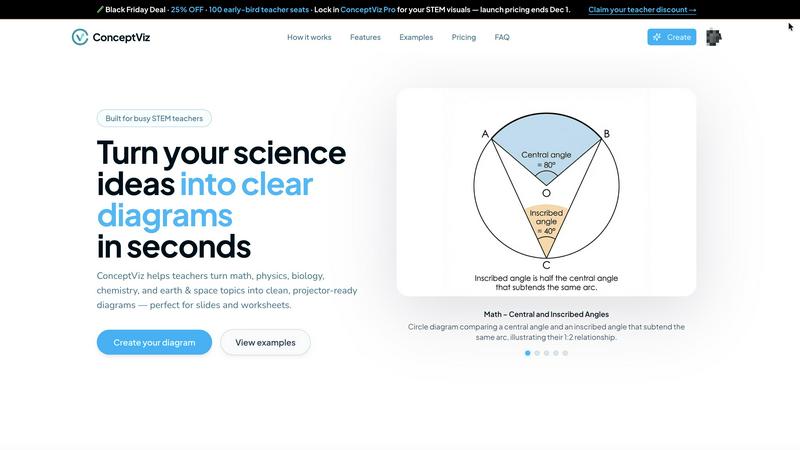
ConceptViz transforms simple text into clear, classroom-ready science and math diagrams for all education levels.
AI tool Details
About conceptviz
ConceptViz is an innovative AI-powered diagram generator tailored specifically for STEM education and research. Designed to simplify the process of creating accurate and visually appealing diagrams, it enables educators, students, and researchers to transform intricate scientific and mathematical concepts into clear, classroom-ready visuals in mere seconds. The primary value proposition of ConceptViz lies in its ability to save users significant time and effort by eliminating the tedious tasks of manually drawing diagrams or sifting through unsuitable stock images online. With its mobile-first and app-centric design, users can seamlessly create diagrams from any device, making it an ideal companion for lesson planning or research sessions on-the-go. ConceptViz caters to a broad spectrum of users, from K-12 teachers needing simple diagrams for worksheets to graduate-level researchers requiring detailed figures for publications. By allowing users to describe diagrams in plain English, it empowers content experts to craft precise visuals that align with their unique teaching styles or explanatory needs.
Features
Mobile-First Design
ConceptViz is optimized for mobile use, allowing educators and researchers to create diagrams anytime, anywhere. The app-centric interface ensures a smooth user experience on all devices, making it easy to generate visuals during lesson planning or while conducting research.
Plain English Input
Users can describe the diagrams they need using simple, plain-English descriptions. This intuitive feature allows for quick and accurate generation of visuals, making it accessible for users of all skill levels without requiring any design or drawing expertise.
Projector-Ready Output
The generated diagrams are designed with clarity in mind, featuring high contrast, thick lines, and readable labels. This ensures that visuals remain clear and effective, whether displayed on a classroom projector or printed on handouts for students.
Subject and Grade Presets
ConceptViz offers a range of presets tailored for various subjects and grade levels, including physics, biology, chemistry, earth and space science, and math. These presets streamline the diagram creation process, making it easy to find appropriate templates for specific educational needs.
Use Cases
Classroom Presentations
Teachers can use ConceptViz to quickly create engaging and informative diagrams for classroom presentations. This allows them to illustrate complex concepts in a visually appealing way, enhancing student understanding and retention.
Homework Assignments
Students can generate diagrams for their homework assignments, providing them with the tools to visually explain their understanding of scientific or mathematical concepts. This fosters a deeper comprehension and encourages them to engage more actively with the material.
Research Publications
Researchers can rely on ConceptViz to create precise, publication-ready diagrams that accurately represent their findings. This helps in conveying complex ideas clearly and effectively, making their research accessible to a wider audience.
Collaborative Projects
Groups of students working on collaborative projects can use ConceptViz to produce cohesive and consistent visuals that reflect their collective understanding. This tool enables them to communicate their ideas better and present their work in a professional manner.
Frequently Asked Questions
How does ConceptViz work?
ConceptViz operates by allowing users to sign in, select a subject, and describe the diagram they need in plain English. The AI then generates a high-quality, projector-ready visual based on the input provided.
Is there a mobile app for ConceptViz?
Yes, ConceptViz is designed with a mobile-first approach, ensuring that users can access the platform and create diagrams from any mobile device, making it convenient for on-the-go use.
Can I download the diagrams created with ConceptViz?
Absolutely! Users can download generated diagrams in high-resolution PNG format, making it easy to incorporate them into slides, handouts, or other educational materials.
What subjects does ConceptViz cover?
ConceptViz caters to a wide range of subjects including physics, biology, chemistry, earth and space science, and math, with specific presets available for different grade levels from elementary to high school and beyond.
Similar to conceptviz
ZombieTrend AI
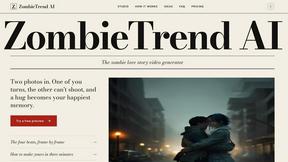
ZombieTrend AI turns two photos into a cinematic zombie love story video where one person transforms and the other chooses love.
AIPetGen
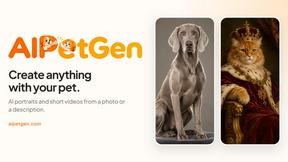
AIPetGen turns a photo of your dog, cat, or other pet, or a written description, into a new picture or a short animation.

Hotel Lobby AI Video Generator
Turn two photos into a Hotel Lobby dance video in the orange A COLORS SHOW booth

Remove Text
Remove text from images online with AI
TryH3 - MiniMax H3 Video Generator
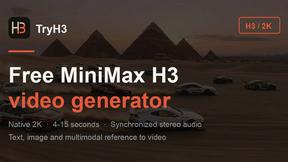
Try MiniMax Hailuo H3 video generation in the browser

Image to Layers AI
Turn any image into editable transparent PNG/PSD layers with AI
MD to Text
Convert Markdown to clean plain text instantly in your browser. Formatting stripped, readable output ready to copy - fully private, no sign-up.
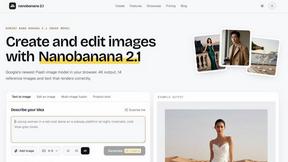
Nano Banana 2.1
A fast, simple image studio powered by Nano Banana 2.1. Create and edit high-quality images with accurate details, readable text, consistent character