

Alternatives to HappyHorse
HappyHorse turns text and images into cinematic AI video with realistic human motion, multilingual prompts, and sound-aware generation.
Explore 20 alternatives to HappyHorse. Compare features, pricing, and find the best fit for your needs.


Verla AI
Verla is an AI academic assistant for university and college students, combining AI essay writing, academic research, AI detection, AI humanization
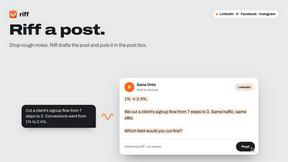
Riff
Free Chrome extension. Paste your rough point and Chrome's built-in AI writes a fresh reply for that post on X, LinkedIn, Facebook or Instagram.


ImageGenerator
Create and edit AI images online with multiple models, text-to-image, image-to-image, background removal, and upscaling.

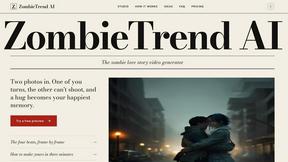
ZombieTrend AI
ZombieTrend AI turns two photos into a cinematic zombie love story video where one person transforms and the other chooses love.

Raindance AI Video Generator
Turn two photos into the Raindance AI pier video with the soundtrack included


DanseAI - Alors on Danse AI Video Genera
Make the Alors on Danse AI meme video from two photos, soundtrack included
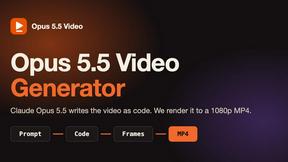
Opus 5.5 Video Generator
Turn a prompt into a 1080p motion-graphics MP4 planned and coded by Claude Opus 5.5

Rumpelstiltskin AI Video Generator
Make the viral Rumpelstiltskin tiptoe dance meme video from two photos
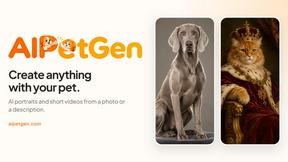
AIPetGen
AIPetGen turns a photo of your dog, cat, or other pet, or a written description, into a new picture or a short animation.

Hotel Lobby AI Video Generator
Turn two photos into a Hotel Lobby dance video in the orange A COLORS SHOW booth



EditTextPhoto
AI-powered image text editor to edit, replace, fix, or translate text in images while preserving the original font, color, size, and style.

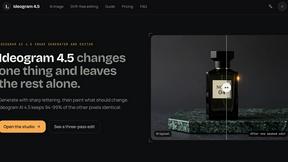
ideogram-45
Ideogram AI 4.5 creates precise, high-quality images with sharp typography, native 2K output, and localized edits.
About HappyHorse Alternatives
HappyHorse is a cinematic AI video and high-fidelity image generator that operates at the intersection of AI Assistants, Video, and Image Generation categories. It is built around the proprietary HappyHorse 1.0 model, allowing users to turn text prompts, reference frames, and scene directions into polished video clips with strong prompt adherence and unified multimodal control. While HappyHorse is powerful for creators seeking human-centric motion quality and longer scene consistency, many users begin exploring alternatives due to pricing structures, platform limitations, or the need for specific features like faster rendering times, mobile-first interfaces, or different output styles that may not align with their existing workflow. When evaluating alternatives to HappyHorse, users should prioritize tools that offer seamless mobile integration, as the best app-centric solutions now prioritize on-device editing and real-time previews. Key factors to consider include the fidelity of image-to-video generation, the level of control over scene direction, and how well the platform handles human motion without artifacts. Additionally, look for transparent pricing models that fit your usage frequency, robust community support for troubleshooting, and APIs that allow integration with other creative apps. The ideal alternative will balance high-quality output with a user experience that feels native to your device, whether you are editing on a smartphone or tablet.
FAQs about HappyHorse Alternatives
What is HappyHorse?
HappyHorse is a cinematic AI video and high-fidelity image generator that uses the proprietary HappyHorse 1.0 model to transform text prompts, reference frames, and scene directions into polished video clips. It is designed for creators who need strong prompt adherence, unified multimodal control, and human-centric motion quality. The platform sits at the intersection of AI Assistants, Video, and Image Generation categories, offering a comprehensive tool for visual storytelling.
Who is HappyHorse for?
HappyHorse is primarily for content creators, filmmakers, and digital artists who require high-quality, cinematic video outputs from AI inputs. It is ideal for professionals who need longer scene consistency and precise control over human motion in their generated clips. The tool also appeals to mobile-first users and app-centric workflows, as it emphasizes a streamlined user experience for generating polished visual content.
Is HappyHorse free?
Based on the provided product content, there is no explicit mention of a free tier or pricing structure for HappyHorse. The platform is described as a cinematic AI video generator with advanced features, which typically suggests it may operate on a subscription or pay-per-use model. Users should check the official HappyHorse website or app store listing for the most current pricing and availability of free trials.
What are the main features of HappyHorse?
HappyHorse's main features include cinematic AI video generation, high-fidelity image creation, and strong prompt adherence to user inputs. It offers unified multimodal control, allowing users to combine text prompts, reference frames, and scene direction for polished clips. The platform also emphasizes human-centric motion quality and longer scene consistency, making it suitable for producing coherent, professional-grade video sequences.