

Alternatives to TinyFast
TinyFast instantly compresses images and videos privately on your Mac with simple drag and drop.
Explore 20 alternatives to TinyFast. Compare features, pricing, and find the best fit for your needs.

AIPetGen
AIPetGen turns a photo of your dog, cat, or other pet, or a written description, into a new picture or a short animation.




EditTextPhoto
AI-powered image text editor to edit, replace, fix, or translate text in images while preserving the original font, color, size, and style.

ideogram-45
Ideogram AI 4.5 creates precise, high-quality images with sharp typography, native 2K output, and localized edits.

MD to Text
Convert Markdown to clean plain text instantly in your browser. Formatting stripped, readable output ready to copy - fully private, no sign-up.
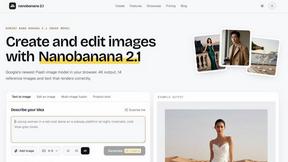
Nano Banana 2.1
A fast, simple image studio powered by Nano Banana 2.1. Create and edit high-quality images with accurate details, readable text, consistent character

AI Email Filter
AI Email Filter sorts incoming mail into folders using plain-language prompts you write. Works with any IMAP mailbox; bring your own LLM if you want.

Low Quality Image Maker
Free browser-based low quality image maker that deliberately degrades photos with compression, downscaling, and pixelation.

Product Launch Checklist
A free launch checklist for SaaS, apps, AI tools and more. Every step says why it matters and when you can skip it.

Kody Tools
Free collection of online developer utilities, code formatters, and digital converters designed to streamline your daily workflow.

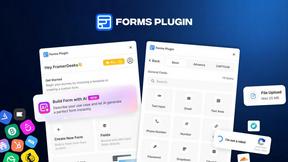
Forms Plugin
The #1 Native Form Builder Plugin for Framer - No Code, No Embeds, No External Platforms.




PerPageFax
PerPageFax lets you send a fax online from any browser for a flat $0.50 per page — no account, no subscription, no fax machine.


About TinyFast Alternatives
TinyFast is a privacy-first, Mac-exclusive app that instantly compresses images, videos, and documents locally on your device. It belongs to the category of desktop utility and productivity tools, designed for creators and professionals who prioritize security and a streamlined workflow. Users often explore alternatives for various reasons. Some may need a cross-platform solution for Windows or web use, while others might seek different pricing models or more advanced, format-specific tuning options. The need for a tool that integrates with specific cloud services or offers different feature balances is also common. When evaluating other options, key considerations include the compression engine's privacy policy (local vs. cloud), supported file formats, processing speed, and overall ease of use. The ideal tool should fit seamlessly into your existing creative or development process without compromising on your core requirements.
FAQs about TinyFast Alternatives
What is TinyFast?
TinyFast is a privacy-first macOS app that compresses images, videos, PDFs, and other files instantly and locally on your Mac using a simple drag-and-drop interface.
Who is TinyFast for?
It's built for developers, designers, and creators who need to quickly and securely optimize files, especially those working with confidential or proprietary content under NDAs.
Is TinyFast free?
The provided content does not specify pricing; it focuses on TinyFast's features, privacy, and user experience.
Why choose TinyFast?
You should choose TinyFast for its 100% local processing that guarantees privacy, its blazing-fast drag-and-drop workflow, and its support for a wide range of universal file formats.