

Alternatives to ComicsMaker
Turn one scene into a storyboard-ready comic strip with AI, then add dialogue and arrange panels in your browser.
Explore 20 alternatives to ComicsMaker. Compare features, pricing, and find the best fit for your needs.
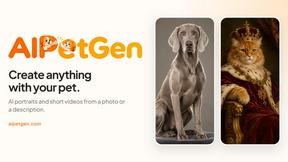
AIPetGen
AIPetGen turns a photo of your dog, cat, or other pet, or a written description, into a new picture or a short animation.


Hotel Lobby AI Video Generator
Turn two photos into a Hotel Lobby dance video in the orange A COLORS SHOW booth



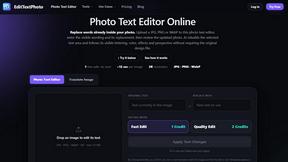
EditTextPhoto
AI-powered image text editor to edit, replace, fix, or translate text in images while preserving the original font, color, size, and style.

ideogram-45
Ideogram AI 4.5 creates precise, high-quality images with sharp typography, native 2K output, and localized edits.

MD to Text
Convert Markdown to clean plain text instantly in your browser. Formatting stripped, readable output ready to copy - fully private, no sign-up.

Nano Banana 2.1
A fast, simple image studio powered by Nano Banana 2.1. Create and edit high-quality images with accurate details, readable text, consistent character

AI Album Cover Maker
Create release-ready album covers from a prompt or photo. Generate, refine, and export art for singles, EPs, mixtapes, and playlists.

Low Quality Image Maker
Free browser-based low quality image maker that deliberately degrades photos with compression, downscaling, and pixelation.



Presentation Intelligence
AI-native presentation and visual content platform that turns prompts, documents, images, videos, and data into polished, shareable decks.


Vismuse
Create polished AI images and videos from prompts or references for social posts, ads, flyers, album covers, and campaigns.



About ComicsMaker Alternatives
ComicsMaker is an AI-powered comic maker and visual storytelling tool that belongs to the content creation and image generation categories. It is designed to help creators, educators, marketers, and teams turn text prompts into comic strips, manga panels, storyboards, and export-ready visual drafts quickly, without needing artistic skills. Users commonly look for alternatives to ComicsMaker due to specific needs like different pricing models, a desire for more advanced layout customization, platform compatibility issues, or the need for features like real-time collaboration or offline access. Others may seek tools that offer a larger library of style presets or more granular control over character consistency and reading flow. When choosing an alternative to ComicsMaker, you should first evaluate how the tool handles prompt-to-image conversion and whether it supports the specific comic styles you need, such as manga, western comics, or storyboard formats. Look for a mobile-first or app-centric experience that offers intuitive panel editing, drag-and-drop layout tools, and clear export options for social media, print, or presentation use. Consider the balance between automation and manual control—some tools offer full AI generation, while others let you tweak every panel. Also check for integration with your existing workflow, such as cloud storage, team sharing, or API access, and always review the pricing structure to ensure it fits your usage frequency and budget.
FAQs about ComicsMaker Alternatives
What is ComicsMaker?
ComicsMaker is an AI comic maker and visual storytelling tool that turns text prompts into comic strips, manga panels, storyboards, and export-ready visual drafts. It belongs to the content creation and image generation categories, offering a workspace that helps users move from an idea to a structured comic draft without starting from a blank canvas. The tool provides clear control over layout, tone, reading flow, and style direction.
Who is ComicsMaker for?
ComicsMaker is built for creators, educators, marketers, and teams who need visual stories fast. It is ideal for drafting AI comic strips, prompt-to-panel scenes, character moments, explainer comics, classroom visuals, product storyboards, and campaign concepts. The tool is designed for users who want to produce structured comic drafts without requiring advanced artistic or design skills.
What are the main features of ComicsMaker?
ComicsMaker allows users to generate comic panels, manga-style drafts, storyboards, and social-ready comic pages from text prompts. It offers control over layout, tone, reading flow, and style direction, and includes a workspace that eliminates the need for a blank canvas. Core keywords associated with the tool include AI comic maker, AI comic generator, comic strip maker, manga panel generator, storyboard creator, text to comic generator, and visual storytelling tool.
Is ComicsMaker free?
Based on the provided product content, there is no specific mention of ComicsMaker being free or having a free tier. Pricing details are not included in the available information, so users should visit the official website or app store listing to check for current pricing plans, trial options, or subscription models. The tool is positioned as a professional-grade solution for creators and teams, so it may offer tiered plans based on usage.