

Alternatives to Picture Enhancer
Picture Enhancer uses AI to deblur, upscale, and restore photos in your browser with no software install.
Explore 20 alternatives to Picture Enhancer. Compare features, pricing, and find the best fit for your needs.
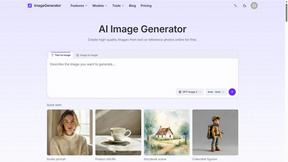
ImageGenerator
Create and edit AI images online with multiple models, text-to-image, image-to-image, background removal, and upscaling.

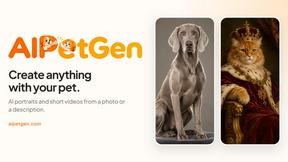
AIPetGen
AIPetGen turns a photo of your dog, cat, or other pet, or a written description, into a new picture or a short animation.

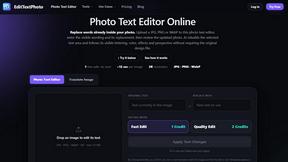
EditTextPhoto
AI-powered image text editor to edit, replace, fix, or translate text in images while preserving the original font, color, size, and style.
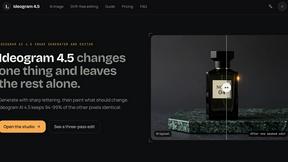
ideogram-45
Ideogram AI 4.5 creates precise, high-quality images with sharp typography, native 2K output, and localized edits.
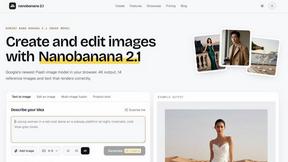
Nano Banana 2.1
A fast, simple image studio powered by Nano Banana 2.1. Create and edit high-quality images with accurate details, readable text, consistent character

AI Album Cover Maker
Create release-ready album covers from a prompt or photo. Generate, refine, and export art for singles, EPs, mixtapes, and playlists.


Vismuse
Create polished AI images and videos from prompts or references for social posts, ads, flyers, album covers, and campaigns.

IsThisAIImage
Free AI image checker: upload a photo for AI-generated and deepfake scores, a clear verdict, and optional generator hints.
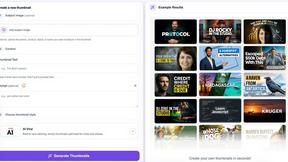
StopScroll
StopScroll is an AI thumbnail maker that generates YouTube thumbnail concepts from a URL, title, or prompt.

HubVanta AI
HubVanta AI helps creators generate images and videos with advanced AI tools for visual content workflows.

VideoAny
VideoAny is your all-in-one AI studio for generating uncensored videos, images, and audio from text or photos on mobile.
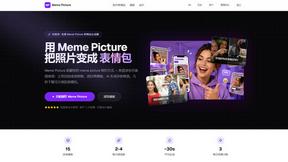
Meme Picture
Turn any selfie or pet photo into a share-ready meme in seconds with free AI templates and no login required.

UGCad AI
UGCad AI turns any URL or prompt into authentic UGC video ads with 1,000+ avatars, no filming or agencies needed.

Anime Maker
Turn your text or photos into anime images, characters, and short videos with AI in seconds.

ComicsMaker
Turn one scene into a storyboard-ready comic strip with AI, then add dialogue and arrange panels in your browser.
About Picture Enhancer Alternatives
Picture Enhancer is a free, browser-based AI tool that fits into the image generation and enhancement category, designed to deblur, upscale, and restore photos without requiring any software downloads. It serves creators, sellers, and everyday users who need sharper images quickly, offering a simple upload-and-enhance workflow with adjustable intensity levels. While the service provides three free lifetime tries per IP, users often seek alternatives when they need more consistent access without credit limits, prefer native mobile apps with offline capabilities, or require unlimited batch processing without tiered pricing. Others might look elsewhere if they want advanced editing features like color correction or noise reduction that go beyond the core deblur, upscale, and restore functions. When evaluating an alternative, prioritize tools that align with your mobile-first workflow, offering seamless integration with your device’s camera roll and instant previews. Look for options that provide transparent pricing—either truly free with no credit systems or flat-rate subscriptions that cover batch enhancements without per-image costs. The best alternatives will also deliver watermark-free downloads, support multiple file formats like HEIC or TIFF, and maintain high-quality results across different image types, from product photos to social media content. Security and privacy are equally critical; ensure any alternative processes images locally or uses encrypted connections to protect your uploads.
FAQs about Picture Enhancer Alternatives
What is Picture Enhancer?
Picture Enhancer is a free online AI photo enhancement tool that runs entirely in your browser, requiring no software installation. It specializes in deblurring, upscaling, and restoring JPG, PNG, and WebP images with adjustable intensity levels. Users can preview before and after results and download watermark-free files when processing succeeds. The service is ideal for quick, mobile-friendly enhancements on the go.
Who is Picture Enhancer for?
Picture Enhancer is built for creators, sellers, and everyday users who need sharper images quickly without technical hassle. It is especially useful for social media managers fixing blurry posts, e-commerce sellers improving product photos, and anyone restoring old family pictures or screenshots. The tool’s free tier and simple interface also make it accessible to casual users who only need occasional enhancements.
Is Picture Enhancer free?
Yes, Picture Enhancer offers a free tier that gives guests three lifetime tries per IP without requiring any signup. For continued use, new accounts receive starter credits, and credits are only charged when a job succeeds. Standard enhancements cost 2 credits, Strong costs 4, and Super costs 6, with paid plans available for heavier usage.
What are the main features of Picture Enhancer?
Picture Enhancer’s main features include three enhancement modes: Deblur, Upscale, and Restore, each with three intensity levels (Standard, Strong, Super). It supports JPG, PNG, and WebP uploads and provides a side-by-side before/after preview. Paid users unlock Super intensity, batch enhancement for up to 10 images, and monthly or permanent credit packs that never expire.