

Alternatives to Shrinkpad
Shrinkpad compresses images and videos in bulk on your Mac to save space and time.
Explore 20 alternatives to Shrinkpad. Compare features, pricing, and find the best fit for your needs.
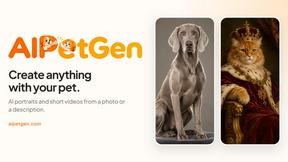
AIPetGen
AIPetGen turns a photo of your dog, cat, or other pet, or a written description, into a new picture or a short animation.


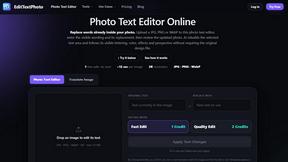
EditTextPhoto
AI-powered image text editor to edit, replace, fix, or translate text in images while preserving the original font, color, size, and style.
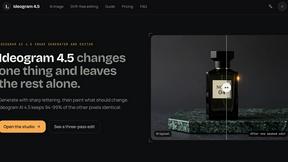
ideogram-45
Ideogram AI 4.5 creates precise, high-quality images with sharp typography, native 2K output, and localized edits.
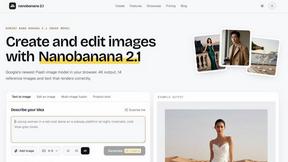
Nano Banana 2.1
A fast, simple image studio powered by Nano Banana 2.1. Create and edit high-quality images with accurate details, readable text, consistent character
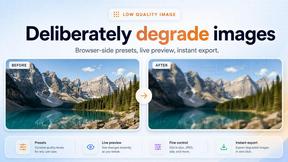
Low Quality Image Maker
Free browser-based low quality image maker that deliberately degrades photos with compression, downscaling, and pixelation.

IsThisAIImage
Free AI image checker: upload a photo for AI-generated and deepfake scores, a clear verdict, and optional generator hints.

StopScroll
StopScroll is an AI thumbnail maker that generates YouTube thumbnail concepts from a URL, title, or prompt.

Best Face Swap
Swap faces in videos and photos instantly with AI, from free trials to NSFW and API-ready workflows.
HypeShare
HypeShare lets you send and receive large files securely with end-to-end encryption, no signup required, and up to 10GB free.

ComicsMaker
Turn one scene into a storyboard-ready comic strip with AI, then add dialogue and arrange panels in your browser.

Art & See Custom Oil Painting Portraits
Transform cherished memories into stunning custom oil paintings, perfect for honoring loved ones with timeless artistry.

Nano Banana
Transform your ideas into stunning images effortlessly with Nano Banana's chat-driven AI editing tools, now at 50% off for a limited time.

SparkPix
Transform your photos effortlessly with SparkPix, the AI photo editor that enhances, restores, and styles images by simply typing your requests.

RemoveTexts
RemoveTexts is a free AI app that erases any text from your images in seconds with just a tap.

AI Photo Generator
Create stunning, photorealistic AI photos from text or your own images in seconds, no design skills needed.
About Shrinkpad Alternatives
Shrinkpad is a native macOS application for batch compression of images and videos. It helps users reclaim storage space by intelligently reducing file sizes directly on their Mac, ensuring privacy and speed. This places it in the media optimization and file management category for creative professionals and everyday users alike. Users often explore alternatives for various reasons. Some may need a solution for Windows or a cross-platform tool, while others might seek different pricing models, specific advanced features, or a different user interface. The search for the right tool is highly personal and depends on individual workflow needs. When evaluating alternatives, key considerations include the platform compatibility, privacy policy regarding file processing, support for your specific file formats, and the efficiency of batch handling. The goal is to find a tool that integrates seamlessly into your routine, saving time and space without compromising on the quality you need.
FAQs about Shrinkpad Alternatives
What is Shrinkpad?
Shrinkpad is a native macOS application that compresses images and videos in bulk directly on your Mac to save storage space and time.
Who is Shrinkpad for?
It's for photographers, designers, content creators, or any Mac user dealing with bloated media files and 'Storage Full' warnings who wants to reclaim space.
Is Shrinkpad secure and private?
Yes. All compression happens locally on your device using native macOS frameworks; your files never leave your computer or require an internet connection.
What are Shrinkpad's main features?
Its main features are lightning-fast local processing, intelligent batch compression for mixed media, and support for over 50 formats while preserving visual quality.